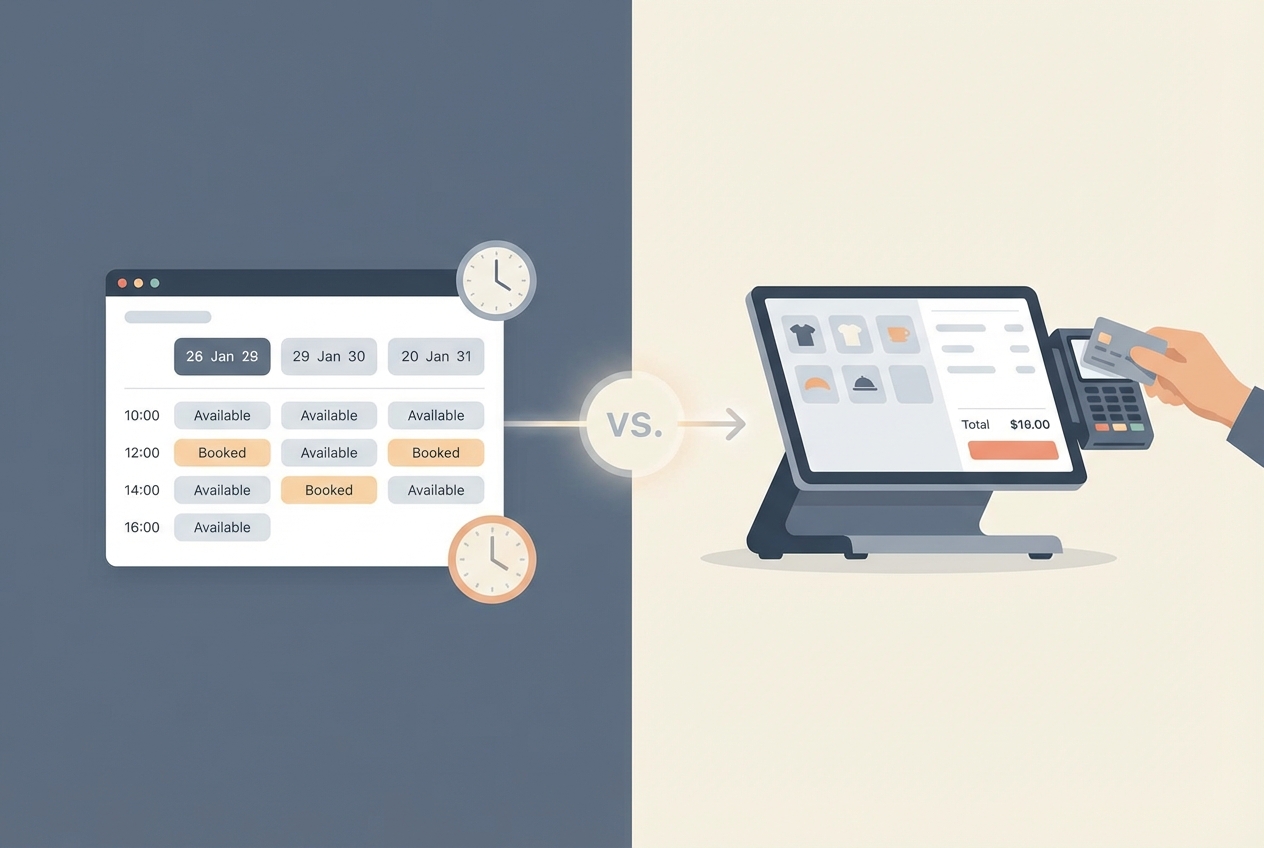
Comparison summary: Acuity vs Square Appointments
Acuity vs square appointments comes down to what your pilates business actually sells: structured session packs and memberships (Acuity usually wins) versus a tight in-studio checkout and point-of-sale (POS) flow (Square usually wins).
| Category | Acuity Scheduling | Square Appointments |
|---|---|---|
| Best for | Privates-heavy instructors and studios selling packs and memberships | Studios that live in Square: card-present checkout, POS, retail add-ons |
| Pricing model | Monthly subscription tiers: Starter, Standard, Premium per Acuity Scheduling | Plan tiers (Free, Plus, Premium) plus payment processing fees per Square Appointments |
| Packages and memberships | Built-in support on higher tiers for packages and memberships per Acuity Scheduling | Works well for straightforward services, but pack and membership rules can feel more constrained for pilates-style credit logic |
| Payments and POS | Scheduling-first; payments are part of the flow, but you are typically not choosing Acuity for a front desk POS | Scheduling + payments + hardware ecosystem is the point of Square Appointments |
| Reminders | Email and SMS reminders depend on tier; verify your plan’s reminder options in Acuity Scheduling | Automated reminders and client profiles are core to Square Appointments |
| Customization | More control over appointment types, availability rules, and booking constraints | More “standardized” workflows, especially if you want unusual booking rules |
| Integrations | Good fit when you want to connect a broader marketing and website stack | Strongest when you want to keep more of your stack inside Square |
| Multi-instructor fit | Great if each instructor needs clean calendar separation and you want scheduling rules per instructor/service | Great if you want unified staff scheduling tied to a unified checkout experience |
| Main tradeoff | You may need to stitch together POS, retail, and some reporting if Square is not your processor | You may end up bending your pricing and package model to fit the Square way of doing things |
Pick Square if you take lots of in-studio payments and want one system for booking plus checkout.
Pick Acuity if you sell 5-packs, 10-packs, and memberships and you care more about scheduling logic than POS.
Avoid either tool if you already know you need custom membership rules, instructor payouts, or equipment constraints that do not map cleanly to “appointments,” and use a build vs buy guide to decide whether custom software is justified.
Quick verdict for pilates privates and small studios
Most pilates businesses fall into one of three models:
- Solo instructor doing privates (prepay online): choose Acuity. If you sell sessions as packs and want clients to self-book against their remaining credits, Acuity’s tiered packaging and membership support is a big advantage (confirm the specific tier capabilities in Acuity Scheduling).
- Small studio with a front desk vibe (in-studio payment, retail, tap-to-pay): choose Square. If your day includes card-present checkout and upsells, Square’s ecosystem is hard to beat because the scheduling and commerce layer are designed to work together (see Square Appointments).
- Hybrid studio (privates + retail + strict cancellation policies): start with your “no-show and late-cancel” workflow. The tool that makes deposits, cancellation windows, and reminders easiest to execute is the one that usually wins in real life.
If you are stuck, use this rule-of-thumb decision tree:
- If you already use Square for payments or POS, start with Square Appointments. You will cut friction and reconciliation.
- If your revenue is built on packs, series, and memberships, start with Acuity. Your scheduling tool should reflect how you sell.
- If you must block equipment (one reformer) and switch instructors without client confusion, test both with your real calendar. The “edge cases” decide it.
- If you need a branded client portal with custom credit rules, stop shopping schedulers and consider a custom build.
Feature checklist that actually matters for pilates
You do not need a 70-feature grid. You need the 10 features that prevent admin chaos.
- Online booking experience: Clients should find the right service fast, see availability clearly, and understand policies before paying.
- Intake and waivers: You need a consistent way to capture new-client info and store it with the client record.
- Automated reminders (email and SMS): Reminders are not a nice-to-have. Appointment reminders reduce non-attendance and are often cost-effective, per a systematic review.
- Deposits or prepayment: If you enforce policies, you need money attached to the booking so you can charge fees without awkward follow-up.
- Cancellation windows and late-cancel fees: The system should apply your rules consistently, not rely on you remembering.
- Packages and series tracking: A client who buys 10 privates should see remaining sessions, and you should be able to apply a credit to a booking.
- Memberships with recurring billing: If you sell “4 privates per month,” the billing cadence and booking limits must match that promise.
- Staff permissions: Instructors should see their schedules and client notes, without everyone seeing revenue or issuing refunds.
- Resource constraints: If you have one reformer or one room, you need a way to prevent double-booking.
- Reporting that matches how you run payroll: At minimum, you want revenue by service and by instructor.
Must-haves for privates:
- Deposits or prepay: Protects your calendar.
- Packages and memberships: This is how most privates businesses actually sell.
- Reminders: Especially SMS, if your clients are busy.
Nice-to-haves for small studios:
- Staff permissions: Reduces mistakes and awkwardness.
- Resource constraints: Critical if equipment is limited.
- Revenue by instructor: Saves time every pay period.
Workflow fit: pilates-private scenarios
Instead of trusting a feature checklist, run these five “pilates reality tests” in both tools during your trial.
Scenario 1: 1:1 privates sold as 5- or 10-packs
What to verify:
- Purchase flow: Can a client buy a pack without booking immediately?
- Credit visibility: Can the client see remaining credits without emailing you?
- Credit redemption: Can a booking be paid with a credit cleanly, without manual discounts?
- Refund handling: If a client moves or gets injured, can you do a partial refund without breaking your reporting?
Acuity generally aligns well with pack-first selling because packages and memberships are explicit tier capabilities (review tiers in Acuity Scheduling). Square can work, but you should test the exact “credit and redemption” path you plan to use.
Scenario 2: Memberships
What to verify:
- Billing cadence: Monthly billing is easy. What matters is whether the membership logic matches your promise.
- Rollover rules: Do unused sessions expire, roll over, or convert to credits?
- Booking limits: Can a client book more than allowed without you catching it?
- Client experience: Does the member understand what they can book and when?
If your membership rules are simple, either tool can work. If they are nuanced, Acuity’s scheduling-first model tends to be easier to shape.
Scenario 3: Deposits plus cancellation windows
What to set up and test before you commit:
- Deposit requirement: Decide when you require it (new clients only, all clients, specific services).
- Cutoff time: For example, “24 hours” is common, but your business might need “48 hours” for prime-time privates.
- Reminder schedule: Pair your cutoff with reminders (for example, a reminder before the cutoff and another the day of).
Because reminders reduce no-shows in many settings, you should treat reminder configuration as core setup, not a later tweak (see the systematic review).
Scenario 4: Instructor coverage and substitutions
What to verify:
- Reassignment workflow: Can you swap instructors without creating a new booking that confuses the client?
- Notifications: Do both instructor and client get clear updates?
- Visibility: Can instructors see only what they need to see?
Square is strong when you want staff scheduling connected to staff operations inside one system (see Square Appointments). Acuity is strong when you want more control over calendar logic.
Scenario 5: Limited resources
What to verify:
- True resource scheduling: Can the system treat the reformer or room as its own constraint?
- Workarounds: If not, can you model it with capacity rules, buffers, or separate calendars without creating client confusion?
This is where many studios outgrow “appointment” tools. If equipment and room constraints are central to your model, test them early.
Payments, POS, and client checkout flow
Square’s advantage is not “payments exist.” It is that the entire experience is built around commerce.
With Square Appointments, booking, client profiles, staff management, reminders, and checkout sit in one ecosystem. That matters if you:
- Take card-present payments regularly
- Sell retail or add-ons
- Want staff to check clients out consistently
Acuity is usually the better scheduling brain, but it is not trying to be your front desk POS. It is a great fit when your priority is booking logic, packages, and memberships, and you are comfortable treating POS as separate from scheduling (confirm plan features in Acuity Scheduling).
One common pitfall: mixing scheduling in one tool and payments in another can create reconciliation work and reporting disputes. Decide your single source of truth for revenue, then choose the scheduler that supports that choice.
Integrations and marketing: what you will realistically connect
Most small pilates studios only need a minimum viable stack:
- Website or landing page: A clear booking button and service descriptions.
- Email marketing: New client onboarding, missed-session nudges, and member announcements.
- Basic analytics: Track which services sell and where clients come from.
- Accounting: Simple categorization and monthly close.
Square tends to pull you toward an ecosystem approach, where scheduling and commerce stay together. Acuity tends to fit better when you already have a marketing stack and want scheduling to plug in.
The decision is less about “how many integrations exist” and more about whether you want one platform to do more, or you want best-of-breed tools connected together, which is the same tradeoff discussed in automating business processes and how it affects tool sprawl.
Pricing expectations and real cost drivers
Directory sites often reduce this to “Square is free” and “Acuity has a subscription.” That is not how your costs will feel month to month.
Square cost drivers:
- Plan tier and per-location pricing: Your base subscription depends on tier and location (see Square Appointments).
- Payment processing fees: Processing is a core driver of total cost, especially if most clients prepay online (see Square Appointments).
Acuity cost drivers:
- Tier unlocks: Packages, memberships, and text reminders are tier-dependent, so the tier you need is driven by your business model (see Acuity Scheduling).
Two quick models to sanity-check your situation:
- Model A (solo instructor, mostly online prepay): Acuity’s subscription may be more predictable, and you choose your payment setup based on client preference. Square can still work, but processing plus plan tier becomes the dominant variable.
- Model B (small studio, multiple instructors, frequent card-present): Square often wins on operational simplicity because the POS flow is unified, even if the all-in cost is not the lowest line item.
Questions to ask before you choose:
- How do you sell today: single sessions, packs, or memberships?
- How often do you take card-present payments?
- How strict are your cancellation rules?
- Do you need SMS reminders, and on which plan?
- How many instructors need calendars and permissions?
- Do you have equipment constraints that must block availability?
- What report do you need every week to run payroll and make decisions?
Operational edge cases to check before you commit
These are the problems that cause switching regret.
- No-show handling: Confirm your reminder schedule and the exact workflow for charging and recording fees.
- Pack expiration and refunds: Decide your rules, then confirm the tool can enforce and report them.
- Tax handling (services vs retail): If you sell socks, grips, or equipment, verify how taxes show up in receipts and reports.
- Staff permissions: Confirm who can issue refunds, edit appointments, and see revenue.
- Mobile admin workflow: Instructors live on mobile. If it is clunky, it will break.
If you ever need compliance modes, note that enabling them can change functionality. For example, Acuity’s HIPAA enablement requires a specific plan and introduces operational limitations such as calendar sync restrictions and session timeouts, per Acuity’s HIPAA guidance. Most pilates studios will not need HIPAA, but the lesson is universal: special modes can affect day-to-day workflows.
Migration and go-live checklist for a pilates studio
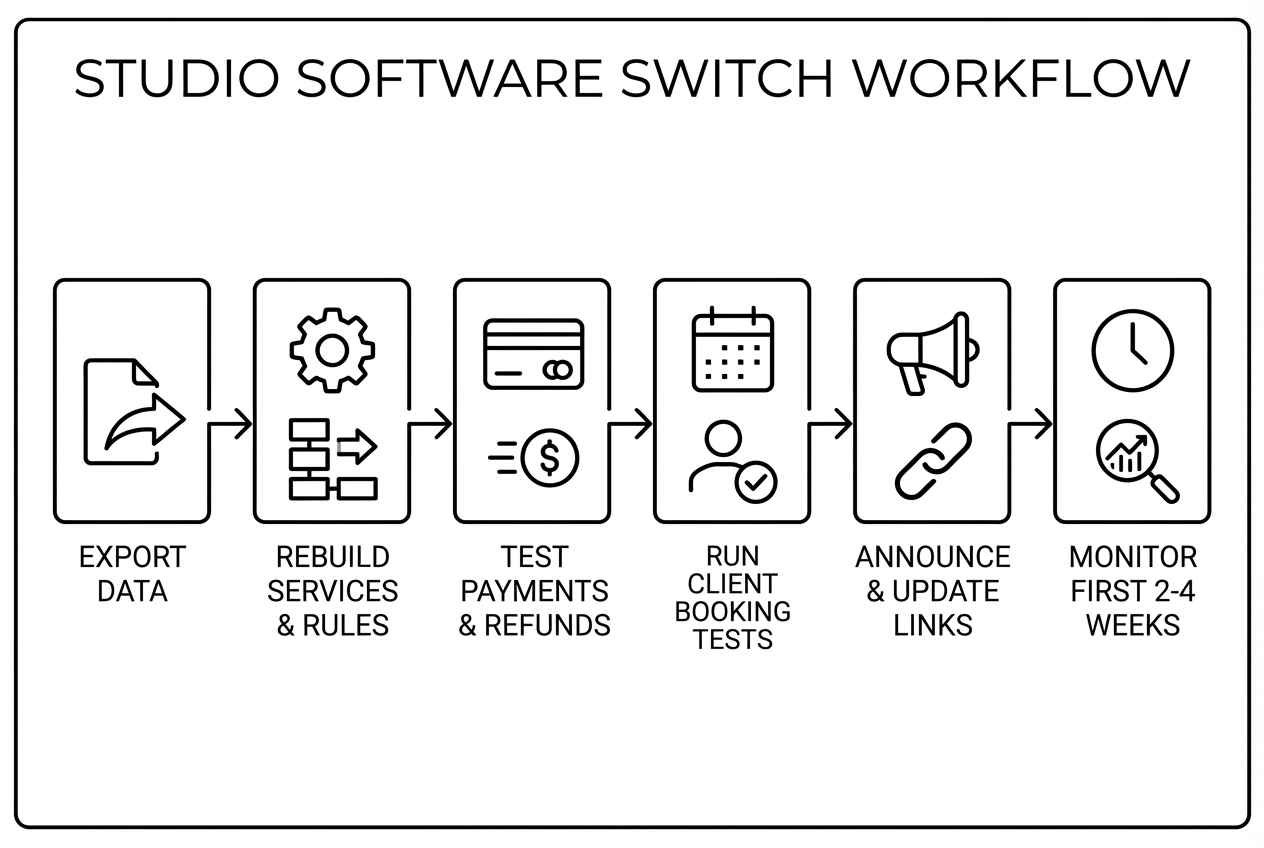
A clean switch is less about “moving data” and more about testing the money and the rules.
- Pre-migration: Export clients, services, packages, policies, and waiver links. Choose a cutover date and set a short booking blackout window if you need it.
- Build: Recreate services, durations, buffers, staff availability, booking rules, and reminders.
- Payments: Run a small test transaction and a refund. Verify deposits and cancellation fee behavior end to end.
- Client experience tests (do all three):
- New client booking and paying
- Returning client booking using a pack credit
- Member booking under membership rules
- Comms: Email clients the new booking link and policy highlights. Update your website buttons and any directory links that point to booking.
- Post-launch (first 2 to 4 weeks): Watch failed payments, double bookings, and no-shows. Review reports weekly so you catch issues before they become habits.
Alternatives if neither is a clean fit
If you outgrow “appointments,” consider tools built for studios and service businesses.
- Calendly: Great for simple scheduling, but it usually falls short for pilates when you need packs, memberships, strict cancellation enforcement, and studio operations.
- Vagaro, Fresha, GlossGenius, Mangomint: Often stronger for certain studio and beauty-service workflows, especially when you want more operational depth than a generic scheduler.
Keep this simple: if you are primarily selling privates as packages and memberships, you want the tool that models credits and rules cleanly.
Build vs buy: when a custom studio app beats any scheduler
If your policies do not fit inside a scheduler without workarounds, that is the signal to stop comparing features and start defining your own workflow.
Triggers that often justify a custom build:
- Custom membership rules: rollovers, freezes, booking windows, and penalties that must be enforced consistently
- Instructor payouts and commissions: automatic payout calculations tied to service type and attendance
- Equipment constraints: booking must respect reformers, rooms, or specialty equipment
- Branded client portal: clients should manage credits, policies, and bookings in one place that looks like your studio, which is exactly what a customer portal is designed to do
This is where QuantumByte fits naturally. Instead of forcing your studio model into a generic scheduler, you can build a thin slice first (booking + credits + reminders), then add the operational layer (payouts, reporting, and custom rules) as you grow.
If you want to spec this cleanly before you build, start with the structure in AI app builder prompts so your rules and edge cases do not get lost.
Implementation timeline: what it takes to switch
- Solo instructor: You can usually set up, test, and launch in a focused work session if your services are simple and you only have one calendar.
- Small studio: Expect extra time for staff onboarding, permission settings, policy alignment, and payment testing across multiple instructors.
Risk reducers that work in real studios:
- Run parallel calendars for one week: Keep internal scheduling consistent while you validate client booking.
- Temporarily limit online booking during cutover: Reduce the chance of double-booking.
- Write a one-page reschedule SOP: Everyone should handle late cancels the same way.
Final recommendation: which one you should pick
- Choose Square Appointments if your studio runs on in-person checkout. You will move faster when booking, payment, and staff operations live together (see Square Appointments).
- Choose Acuity Scheduling if you sell pilates privates as packs and memberships. Your scheduling tool should match your revenue model, and Acuity’s tiered capabilities are built with that in mind (see Acuity Scheduling).
- Choose a custom build if you keep hitting edge cases. Equipment constraints, custom membership logic, and instructor payout rules are where schedulers commonly break. Quantum Byte is a strong option when you want speed and customization without a long development cycle, especially if you follow a booking chatbot build plan to pressure-test the booking flow end to end.
If you remember nothing else, do this: pick your top two workflows (pack redemption and late-cancel fee), run them as test bookings, then commit.
Frequently Asked Questions
Acuity vs square appointments cost: which is cheaper?
It depends on what drives your bill. Acuity is primarily a monthly subscription based on tier, and key capabilities like packages, memberships, and text reminders are tied to tier per Acuity Scheduling. Square combines a plan tier with payment processing fees, so total cost depends heavily on payment volume and how you take payments, per Square Appointments.
Square appointments vs Acuity reddit: which do people like more?
Reddit can surface real frustrations, but it is inconsistent because posters often have different business models. Use it to find edge cases to test, not to decide for you. The more reliable approach is to run the three test bookings in the go-live checklist and see what breaks.
What is Square Appointments pricing?
Square publishes Free, Plus, and Premium tiers, along with payment processing fees that influence total cost on Square Appointments. If you are comparing costs, look at both the subscription tier and the payment types you use most (card-present vs online).
Can Calendly replace Acuity or Square for pilates?
Calendly is strong for straightforward appointment booking, especially for a solo service provider. For pilates, it tends to fall short when you need packs, memberships, cancellation fees, and multi-instructor studio operations. If those are core to how you sell, start with Acuity or Square and only consider Calendly if your workflow is truly simple.
Start building
If you are reading this and thinking, “Neither tool matches how my studio actually works,” you are not alone. Quantum Byte is built for founders and business owners who want a custom booking and client portal experience without a long build cycle.
Start with Quantum Byte to:
- Launch fast: Use plug-and-play templates for booking, client portals, and common studio workflows.
- Customize without a long dev cycle: Adjust policies, packages, and flows by describing what you want.
- Scale like a real product: You are not locked into someone else’s roadmap.
If you are already operating multiple locations or need deeper controls, the enterprise offering is the right path for heavier customization and operational requirements.