
Paperless does not automatically mean frictionless.
Dental patient intake software should eliminate clipboard chaos, missing signatures, and insurance surprises before the patient ever walks in. When it works, forms are completed at home, data flows directly into your systems, and your front desk focuses on patients--not retyping PDFs.
When it fails, you get "digital forms" that still require manual cleanup, broken integrations, and more admin work than before.
This guide ranks the best dental patient intake software in 2026, comparing turnkey dental platforms with customizable and build-your-own options. Whether you want a plug-and-play patient experience tool or a fully tailored intake workflow that matches your operating model, you'll see the trade-offs clearly so you can choose the right fit for your practice.
Best dental patient intake software in 2026
If you want the shortest path to fewer no-shows and cleaner charts, focus on three outcomes: patients complete forms before they arrive, your team stops retyping data, and your system stays compliant and auditable.
Here are the top picks, ranked.
Quick comparison
| Software | Best for | Why it stands out | Watch-outs |
|---|---|---|---|
| QuantumByte | Clinics that want a tailored intake workflow | Build intake around your exact rules, routing, and integrations | QuantumByte is a custom system builder rather than a pre-packaged dental suite |
| NexHealth | "All-in-one" patient experience | Strong digital forms plus scheduling and payments | Pricing is not always transparent without a quote |
| Yapi | Dental-first paperless intake | Dental workflows, forms, and patient engagement | May overlap with tools you already pay for |
| Weave | Phone plus lightweight intake | Communication-first approach with digital forms | Best if Weave is already your comms hub |
| Solutionreach | Patient communication with forms | Strong reminders and patient messaging with digital forms | Setup is worth planning if you want deep workflows |
| RevenueWell | Marketing plus patient engagement | Recall, communication, and digital touchpoints | Feature depth varies by bundle |
| Dental Intelligence | Patient engagement with modern digital intake | Engagement suite includes digital forms and online scheduling | Confirm fit for your exact Practice Management System (PMS) stack |
| Planet DDS (Legwork) | Simple digital forms and engagement | Straightforward patient-facing flows within the Planet DDS ecosystem | Verify which integrations matter for your office |
What to look for in dental patient intake software
A form tool is not an intake system. Intake includes data collection, validation, consent, identity and insurance checks, routing, and a clean handoff into your clinical and billing workflow.
Use this checklist to avoid buying "pretty forms" that still create admin work.
-
Pre-visit completion: Patients should finish intake at home on mobile, not in your waiting room. That means fast load times, simple user experience (UX), and smart save-and-resume.
-
Conditional logic: Your forms should change based on answers (for example: medical history follow-ups, allergy details, pregnancy screening). This reduces errors and keeps forms short.
-
eSignature-ready consent: Look for legally defensible electronic signature (eSignature) capture with time stamps and an audit trail.
-
Insurance and ID capture: Photo upload, structured fields, and validation rules reduce claim issues and front desk rework.
-
Practice management system integration: The best tool is the one that reduces re-entry. If it cannot sync to your PMS, confirm how you will avoid double work.
-
Security and compliance posture: If you handle electronic Protected Health Information (ePHI), you need safeguards aligned to the HIPAA Security Rule. Also enforce access control so staff only see what they need.
-
Minimum necessary access: Even inside your org, aim for role-based access and data minimization so staff only see what they need for their job.
-
Accessibility: Patient-facing intake is a form-heavy experience. WCAG (Web Content Accessibility Guidelines) matters for usability and risk reduction. Use WCAG 2.2 basics from the W3C WCAG overview.
How dental patient intake software works
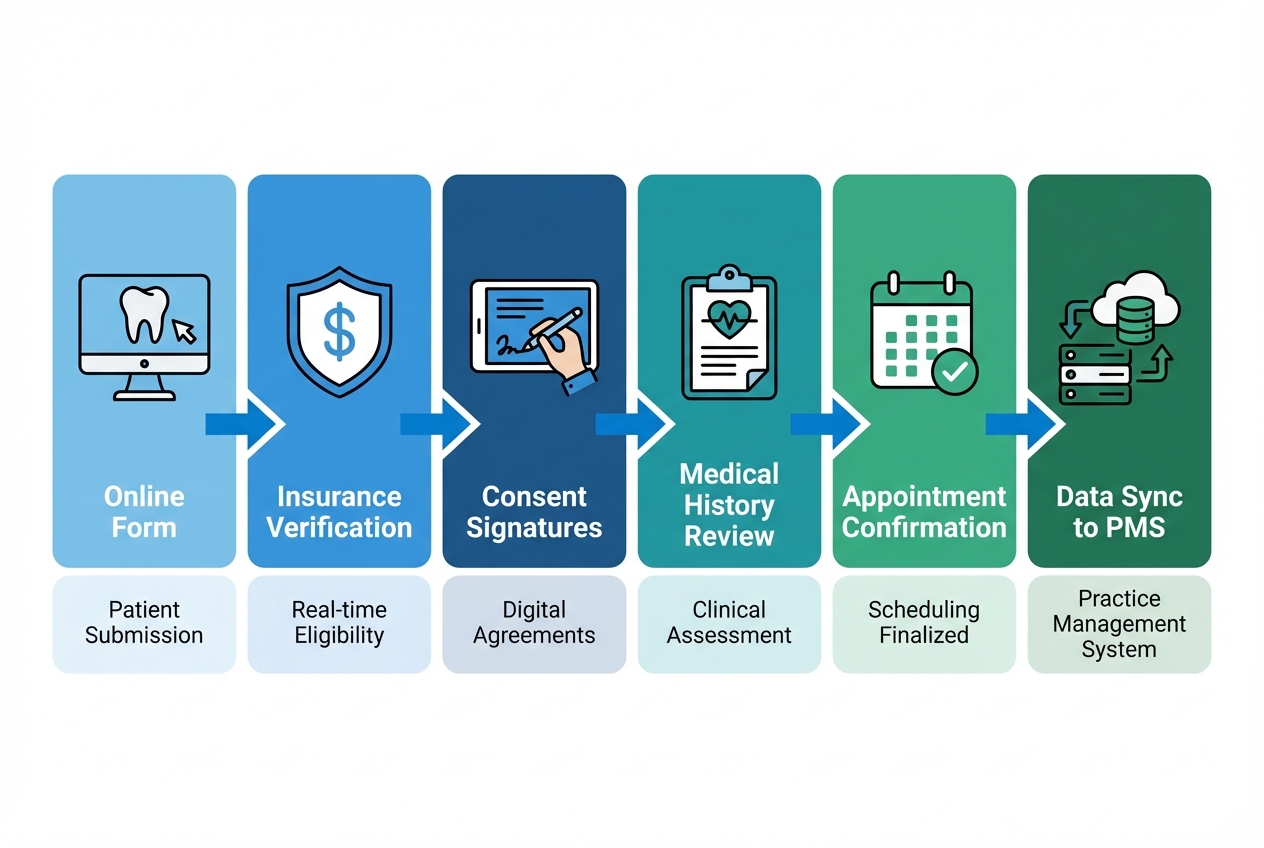 A modern intake flow typically looks like this:
- Patient receives a link: Email or SMS sends the intake packet.
- Patient completes forms on mobile: Demographics, medical history, dental history, consents, HIPAA acknowledgements.
- System validates entries: Required fields, date formats, insurance member IDs, photo uploads.
- Staff review and route: Flag high-risk answers, route to clinical review, and prep billing.
- Data syncs to your systems: Best case is direct integration. When systems talk using common interoperability standards (for example, HL7 FHIR), data exchange is easier to model and audit.
If your current intake still ends with someone typing from PDFs into a PMS, the system is not finished. It is just digitized.
The best dental patient intake software options
1) QuantumByte
 Most dental patient intake software forces you into its workflow. QuantumByte flips that. You can build an intake system from natural language, then have an expert development team finish the edge cases and integrations.
That is why it is #1 on this list for ambitious owners and DSOs (Dental Service Organizations) that want to scale a specific operating model across locations.
Start here: QuantumByte
What to build (real examples that clinics ask for):
-
Front-desk intake command center: A single view that shows who has not finished forms, which consents are missing, and what needs review before seating.
-
Smart routing rules: Auto-flagging based on answers (for example: anticoagulants, recent surgeries, severe allergies), then routing to hygienist, dentist, or office manager.
-
Custom integrations: Sync to your PMS, insurance tools, and communication stack. If your tools do not integrate cleanly, custom glue is often the only way out.
-
Multi-location standardization: Build one intake system and copy it to every office with the same rules and reporting.
When QuantumByte is not the right choice:
- You want a turnkey dental suite today: QuantumByte is a custom system builder rather than a pre-packaged dental suite. If you need something fully packaged and ready in an afternoon, choose a vendor product below.
Helpful internal references if you are thinking "custom":
-
If you are automating intake plus back office tasks, use this workflow thinking from automate business processes.
-
If you want prompt templates for building intake-like apps, see AI app builder prompts.
-
For multi-location or regulated environments, the enterprise delivery model is the right starting point.
2) NexHealth
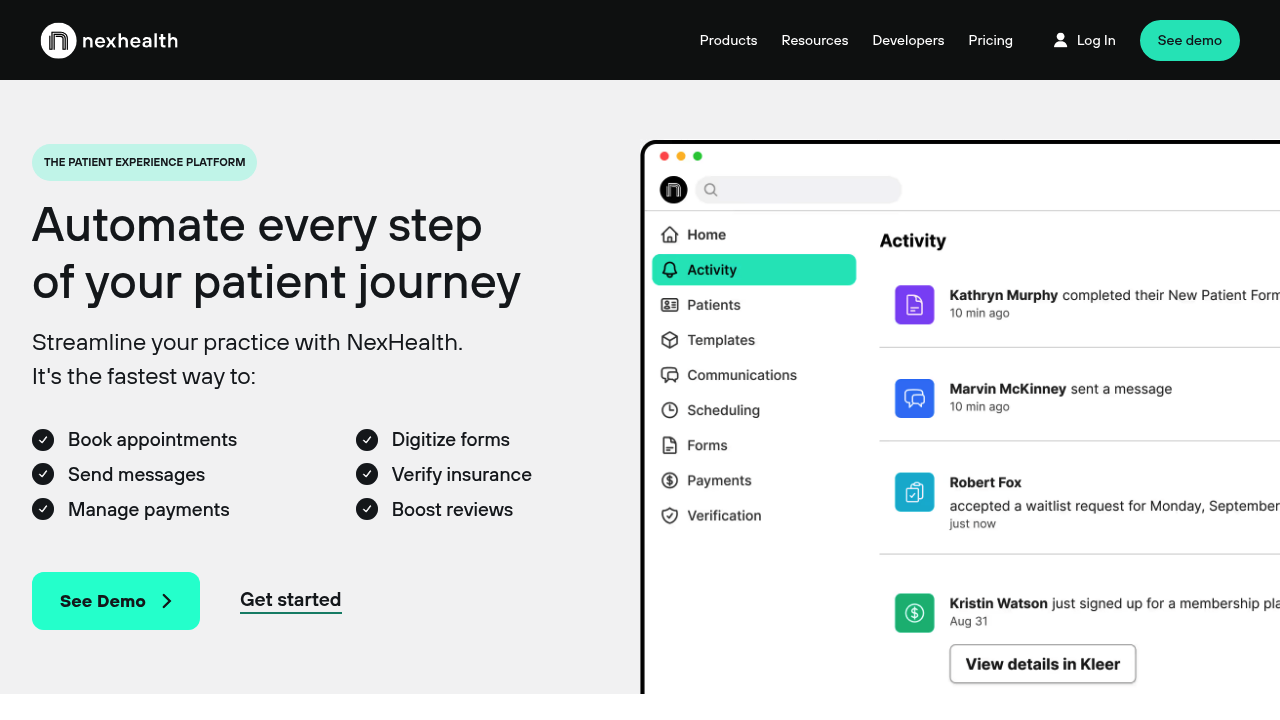 NexHealth is a strong choice if you want intake to live inside a broader patient experience platform. It is often evaluated alongside scheduling, payments, and patient communication.
Why it makes the list:
-
Patient experience focus: Intake fits naturally when your goal is fewer calls and smoother check-in.
-
Single platform mindset: One vendor for multiple patient-facing workflows can reduce tool sprawl.
What to confirm:
- Integration depth: Make sure the specific PMS you run is supported in the way you expect.
3) Yapi
 Yapi is a dental-first option that many practices consider when they want to go paperless without building a custom system.
Why it makes the list:
-
Dental-friendly workflows: The positioning and feature set are geared toward dental operations, not generic medical forms.
-
Paperless intake experience: A good fit if your core pain is waiting room friction and missing paperwork.
What to confirm:
- Overlap with existing tools: If you already pay for a communication platform, verify you are not doubling up.
4) Weave
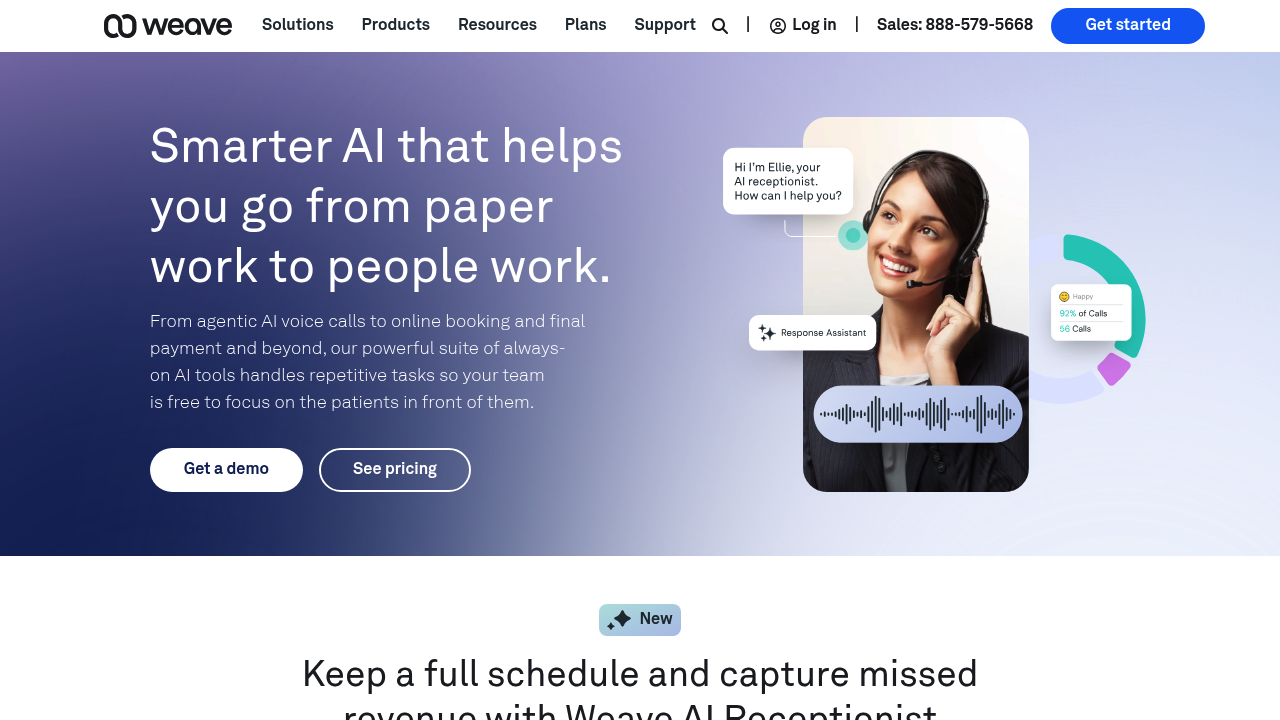 Weave tends to win when your real problem is communication chaos. Intake matters, but phone, texting, and patient reminders are the center of gravity.
Why it makes the list:
-
Communication-first approach: If intake completion is blocked by poor follow-up, a comms hub can move the needle.
-
Unified patient touchpoints: Useful when you want fewer disconnected tools.
What to confirm:
- Workflow depth: If you need complex routing, approvals, or custom logic, you may hit limits and need custom build work.
5) Solutionreach
 Solutionreach is a familiar name in patient communication, and it is often shortlisted by clinics that want recall and reminders plus digital intake.
Why it makes the list:
-
Patient messaging strength: Intake completion improves when reminders and patient messaging are done well.
-
Operational consistency: Good fit for offices that want predictable, repeatable outreach.
What to confirm:
- Setup and ownership: Decide who owns templates, timing rules, and exceptions so the system stays clean.
6) RevenueWell
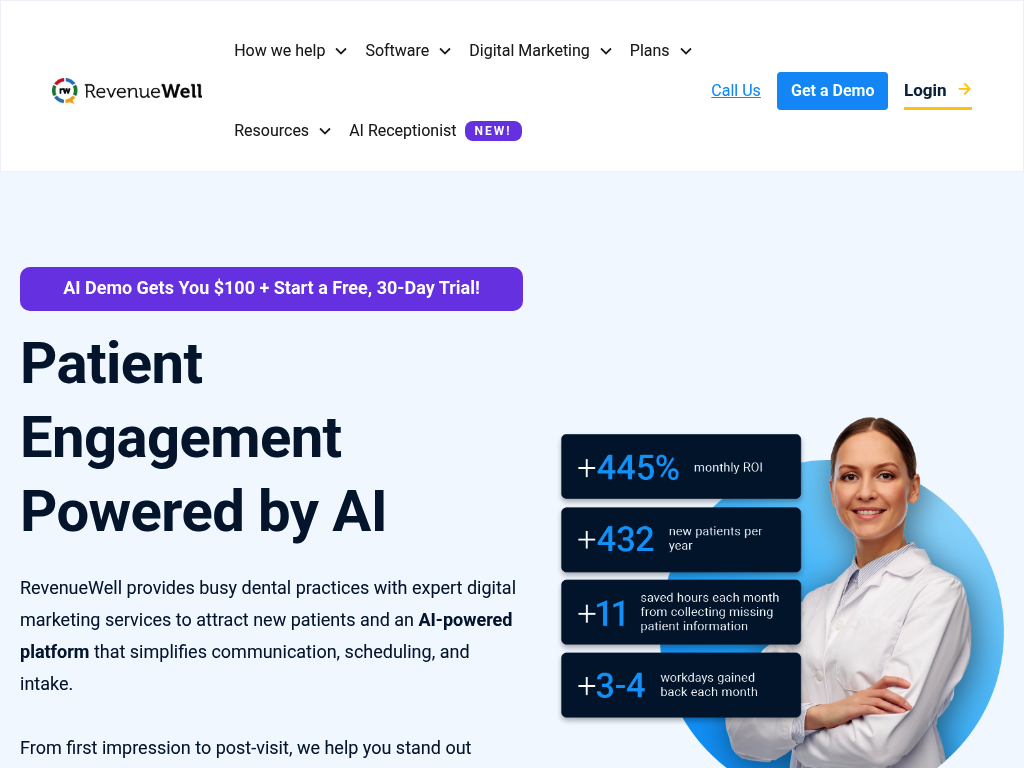 RevenueWell is a strong contender if your intake project is part of a larger push: recall, marketing, and patient growth.
Why it makes the list:
-
Growth-oriented positioning: Works well when you want intake plus stronger patient engagement.
-
Patient communication ecosystem: Useful if the main failure point is getting patients to respond and complete tasks.
What to confirm:
- Exact intake features: Ask for a walkthrough of form logic, eSignature, and how data flows into your day-to-day workflow.
7) Dental Intelligence (formerly Modento)
 If Modento is what you remember, the brand has moved. Modento is now Dental Intelligence Engagement, as announced on Modento's site.
Today, Dental Intelligence is worth a look if you want patient engagement that supports intake basics like digital forms and online scheduling.
Why it makes the list:
-
Engagement features that support intake: Digital forms and online scheduling can reduce day-of chaos when used consistently.
-
Polished patient experience: A modern, mobile-first experience can lift completion rates.
What to confirm:
- PMS fit: Confirm your exact PMS is supported in the way you need (true sync vs. export).
8) Planet DDS (Legwork patient engagement)
 Legwork is now part of Planet DDS. Planet DDS notes it acquired Legwork and that "Legwork is now a Planet DDS company" in its announcement, Legwork joins Planet DDS.
Planet DDS is worth considering if you want straightforward patient-facing flows and you like the idea of keeping engagement closer to a broader dental software ecosystem.
Why it makes the list:
-
Straightforward patient experience: Simpler flows can mean higher completion rates.
-
Ecosystem alignment: If your stack already leans Planet DDS, keeping engagement there can reduce fragmentation.
What to confirm:
- How data lands in your workflow: Confirm whether your team gets clean structured data or ends up copying from PDFs.
How to choose the right option for your practice
Most clinics pick the wrong tool because they shop for features instead of flow. Use this decision path.
- If your intake problems are "patient completion" issues: Start with a communication-driven platform (Weave, Solutionreach, RevenueWell).
- If your intake problems are "workflow and data quality" issues: Prioritize conditional logic, routing, and integrations (NexHealth, Yapi, Dental Intelligence).
- If your intake problems are "we are different" issues: Build a custom workflow. This is where QuantumByte wins because you are not forced to compromise your operating model.
A practical way to sanity-check this: write down your current intake in 10 steps. Circle the steps that require a human to copy, retype, or chase a patient. Your best tool is the one that removes the most circles.
Common pitfalls that wreck intake rollouts
-
Buying forms without ownership: Someone must own templates, updates, and edge cases. Otherwise, the system decays.
-
Ignoring accessibility: If a patient cannot complete your form on their phone, you will still end up with paper. WCAG basics exist for a reason.
-
Over-collecting data: More fields feel "thorough," but they reduce completion and increase privacy risk. Stick to minimum necessary.
-
No integration plan: A PDF export is not a workflow. Confirm how data gets into your PMS and how staff will use it.
A simple next step you can take today
If you want a fast, low-risk starting point, map your ideal intake flow first, then pick the tool that matches it.
If you already know your workflow needs custom rules, routing, or a unique integration, it is often faster to build the system you actually want. QuantumByte is designed for that "move in days, not months" approach, and allows for full customizability.
What this guide covered
You now have a practical shortlist of dental patient intake software options, plus a clear way to evaluate them:
-
Admin-saving features: The features that actually reduce admin work, not just digitize it.
-
Intake workflow basics: The typical intake workflow and where automation matters most.
-
Ranked best-of shortlist: A ranked list with best-fit guidance so you can choose faster.
-
When to go custom: When custom build beats off-the-shelf, and why QuantumByte is the top pick for clinics scaling a unique process.
Frequently Asked Questions
What is dental patient intake software?
Dental patient intake software is a tool that collects patient demographics, medical and dental history, insurance details, and consent signatures digitally, then routes that information to your team and systems before the appointment.
Is dental patient intake software HIPAA compliant by default?
No. HIPAA compliance depends on how the software is configured and operated, your internal policies, and whether appropriate safeguards are in place for ePHI. Use HIPAA Security Rule expectations as a baseline and document your decisions.
What features matter most for reducing front desk workload?
The biggest workload reducers are conditional logic, pre-visit completion, insurance and ID capture, eSignature with audit trail, and PMS integration that avoids retyping.
When should a clinic build a custom intake system?
Build custom when your workflow is a competitive advantage, when you have multi-location standardization needs, or when integrations and routing rules are too specific for vendor tools. This is the common "we tried three tools and still have manual work" scenario.
Can QuantumByte replace my full practice management system?
QuantumByte is best used to build the intake layer and connected operational tools you cannot get from your current stack. Some clinics use it to extend a PMS, not replace it, by building a front-desk command center, routing, and integrations around their existing systems.