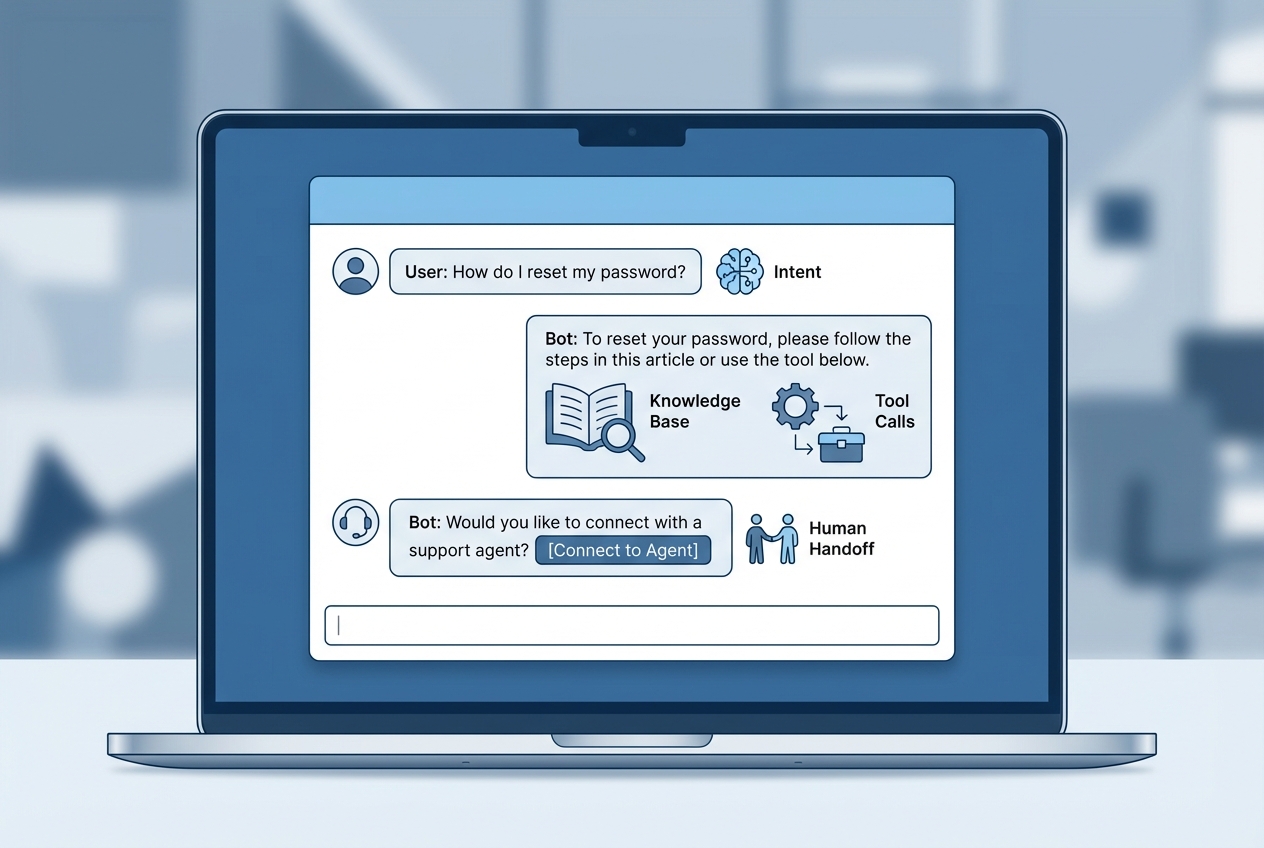
Most support teams don't need a chatbot that "handles tickets." They need one that actually solves problems—answers the question, looks up the order, reschedules the appointment, so customers leave satisfied and agents can focus on the cases that really need a human.
That's what this guide is about: building a customer service chatbot that works like a good support channel, not a wall between your customers and your team. Whether you're adding chat to a service business, scaling a SaaS help desk, or building support into your product, you'll find practical best practices you can apply right away.
What a customer service chatbot should do
A customer service chatbot is best at high-frequency, low-ambiguity requests. You want it to answer, route, and execute simple actions with high confidence, then escalate everything else quickly.
Use this quick filter before you build anything.
| Best for chatbots | Risky for chatbots | Why it matters |
|---|---|---|
| Order status, shipping, appointment confirmations | Refund disputes, chargebacks, cancellations with policy exceptions | Disputes need judgment, empathy, and policy interpretation. |
| Password resets, account access steps | Identity-sensitive changes without verification | You must reduce the chance of account takeover. |
| FAQ answers with a single source of truth | Questions with conflicting docs across teams | Conflicts create hallucinations and inconsistent answers. |
| Ticket triage and routing | Final resolution when the chatbot cannot cite a policy | Uncited answers erode trust fast. |
| Collecting structured intake for humans | Open-ended troubleshooting without a diagnosis flow | Without a flow, chats become long and expensive. |
A practical target: make the bot a strong front door, not the whole building.
If you are also building self-service beyond chat, pairing your bot with a secure customer portal usually reduces repeats more than chat alone.
Start with a narrow scope and measurable outcomes
The fastest way to fail is to launch a general-purpose bot that tries to answer everything. Pick 5 to 10 intents that represent real volume and real pain.
Define outcomes you can measure from week one:
- Containment rate: The percentage of conversations that end without an agent. Track it by intent, not just overall.
- Time to resolution: How quickly customers get a correct answer or a successful handoff.
- Deflection quality: Whether the answer was actually correct, not just accepted.
- Handoff rate and reason: The top triggers for escalation (missing data, policy exceptions, low confidence).
- Customer satisfaction: The customer sentiment after the interaction, especially for handoffs.
Do not ship until you can answer: "What will we stop doing manually because this bot exists?"
Conversation design that reduces back-and-forth
Good chatbot experiences are short. Every extra turn costs patience, money, and trust. Microsoft’s conversational design principles explicitly emphasize solving the user’s problem with minimal turns and guiding users when they are stuck, including agent handoff when needed, in their Conversational user experience guidance.
Build your scripts like a support lead, not like a chatbot enthusiast.
- Open with a choice, not a question: Offer 3 to 5 common actions (track order, reschedule, billing, technical issue) so customers do not have to "guess the right words."
- Ask for the minimum data: Only request what you need to execute the next step. If you need an order number, ask once, validate it, and then move.
- Confirm critical actions: Before canceling, refunding, or changing plan tiers, confirm intent and show what will happen.
- Use explicit boundaries: Say what the bot can do, and what it cannot do. This keeps expectations aligned.
- Write for scanability: Use short sentences, clear buttons, and numbered steps. Chat is a tiny UI.
- Design the failure path: Add "I can connect you to a person" as a first-class outcome, not a last resort.
A simple pattern that works:
- Identify intent: Detect what the user is trying to accomplish using buttons, keywords, and a small set of well-defined intents.
- Collect one identifier: Ask for one key piece of information (email, order ID, account ID), validate it, and persist it through the session.
- Execute one action or answer: Complete a single task (fetch status, create ticket, provide a policy-backed answer) before offering extra options.
- Offer the next best action: Suggest one logical follow-up (change delivery address, reschedule, troubleshoot) so customers do not have to restart.
- Handoff when needed: Escalate quickly when confidence drops, policies require judgment, or the customer signals frustration.
Build a knowledge layer you can trust
Most "bad bot" experiences are not a model problem. They are a content and governance problem.
Treat your knowledge base like an API.
- Single source of truth: Pick one canonical location for policies, pricing rules, and procedures. If you have multiple sources, the bot will contradict itself.
- Structured answers: Convert long docs into short, atomic snippets with clear owners and review dates.
- Change control: When a policy changes, update the knowledge base and the chatbot prompts and flows in the same release.
- Citations and traceability: Make it easy for agents and quality assurance (QA) reviewers to see where answers came from.
Wire integrations and automation with guardrails
A customer service chatbot becomes valuable when it can do things, not just talk. That usually means integrating with:
- Knowledge base: Connection to your documentation site or internal policy repository so answers are grounded in a maintained source of truth.
- Customer Relationship Management (CRM): Lookup of account status, plan tier, entitlements, and key timeline events that support better routing and personalized responses.
- Ticketing system: Creation, updating, and routing of support tickets with the transcript and extracted fields attached.
- Order management or subscription billing: Fetching order status, invoices, delivery details, and subscription state through verified tool calls.
- Scheduling and booking: Rescheduling, confirming, or canceling appointments with clear validation and confirmation steps.
If you want examples of what "tool-based" support automation looks like in practice, this breakdown of ecommerce operations use cases maps cleanly to returns, refunds, and fraud review flows.
Best practices for safe automation:
- Prefer tool calls over free text: For anything transactional, the bot should call a specific function (create ticket, fetch order, reschedule booking) instead of describing what it would do.
- Validate inputs: Confirm formats (order IDs, emails) and handle typos. Reject and re-ask rather than guessing.
- Add permission checks: If the action changes account state, verify identity and authorization.
- Use approval gates for risky actions: For refunds, cancellations, address changes, and other sensitive steps, route to a human or require explicit confirmation.
- Log everything: Store the intent, the data collected, the tool called, and the final outcome.
Get human handoff right
View handoff as the primary safety mechanism that protects customer trust, rather than a point of failure.
Design handoff like a first-class feature:
- Always include context: Pass the full transcript, extracted intent, and collected identifiers to the agent.
- Set expectations: Give a realistic response time and what the customer should do next.
- Create a clean queue strategy: Route by intent, language, account tier, and urgency.
- Avoid "start over": Agents should see the same data the bot collected. Customers should not repeat themselves.
- Measure handoff quality: Track whether the agent could resolve the issue without extra discovery questions.
Privacy, security, and compliance basics
A customer service chatbot sits on top of personal data. You need a clear policy on what it can collect, store, and expose.
Start with principles, then implement controls. The General Data Protection Regulation (GDPR) principles around purpose limitation and data minimisation in Article 5 are a useful baseline even if you are not European Union (EU) based.
Practical controls that apply to most teams:
- Data minimization: Only request the fields needed for the task. Do not ask for birthdates, addresses, or payment details unless you truly need them.
- Retention policy: Decide how long chat transcripts are stored and who can access them.
- Sensitive data handling: Mask or redact personally identifiable information (PII) in logs and analytics.
- Access control: Limit who can change bot instructions, knowledge sources, and integration credentials.
- Risk management: Treat the bot as an artificial intelligence (AI) system that needs governance. NIST’s AI Risk Management Framework is a strong reference for structuring governance and controls.
One security topic that is easy to underestimate in chat is prompt injection. Even if you are not building a coding assistant, the same failure mode applies to support: instructions hidden in user messages can try to override your rules. This overview of prompt injection risks is a practical mental model for hardening.
Accessibility and channel readiness
If your chatbot runs on your website, it must work for real users with real constraints: keyboard-only navigation, screen readers, low-vision settings, and mobile-first layouts.
Use Web Content Accessibility Guidelines (WCAG) as your standard. WCAG 2.2 is maintained by the World Wide Web Consortium (W3C), and their overview is the best starting point: WCAG standards and guidelines.
Focus on the basics that break most chat widgets:
- Keyboard navigation: Users must be able to open, focus, and use chat without a mouse.
- Readable contrast and text resizing: Chat bubbles and buttons need adequate contrast and should not break when text is enlarged.
- Clear labels: Form fields (email, order ID) need proper labels that assistive technology can read.
- Non-text alternatives: If you show status icons or images, provide text equivalents.
Test, launch, and improve continuously
Treat the first launch as a controlled experiment, not a finish line.
A reliable launch process:
- Create a test set: Pull 100 to 300 real, anonymized tickets and use them as evaluation queries.
- Score by intent: Accuracy is not one number. Track accuracy per intent and per channel.
- Red-team the bot: Try prompt injection, policy loopholes, and adversarial asks ("ignore your instructions," "give me someone else’s order").
- Pilot with a subset: Start with one channel or one segment, then expand.
- Close the loop: Each escalation reason should create a backlog item (new intent, better doc, clearer boundary).
Choosing the right approach and platform
Your platform decision should match your complexity. If you only need basic deflection, an off-the-shelf help desk bot may be enough. If you need integrations, custom flows, and a unique support experience, you want an app-level build.
Common paths:
| Option | Best when | Tradeoffs |
|---|---|---|
| Help desk chatbot add-on (for example, inside Intercom or Zendesk) | You want fast setup and standard support workflows | Limited customization and integration depth without extra engineering. |
| Custom build with frameworks | You have an engineering team and strict control needs | Highest effort to ship and maintain, especially for analytics and governance. |
| AI app builder approach | You want custom workflows and speed, without a full development cycle | You still need clear requirements, guardrails, and ownership. |
If you are a founder trying to ship a customer service chatbot as part of a broader internal tool, QuantumByte is built for that custom, but fast middle ground. You can start on Packets and iterate quickly from a structured specification to a working app, then move to QuantumByte Enterprise when you need tighter controls, deeper integrations, and organization-wide governance.
If you want to see how QuantumByte fits among other build styles, the perspective in vibe coding tools is a useful read before you commit.
If you are ready to turn your top 5 support intents into a working chatbot flow, start with a scoped build in QuantumByte.
What you can implement this week
You do not need a 6-month project to get value. You need a narrow launch with clean integrations and ruthless clarity.
Start here:
- Pick the top 5 repetitive requests: Use ticket tags or help desk exports to identify the highest-volume asks that are also low-ambiguity.
- Decide the end-to-end outcome per intent: Define what “done” means (answer delivered, order status fetched, appointment moved, ticket created) so you do not ship partial flows.
- Write the happy path and the failure path: Map the shortest path to success, plus what happens when validation fails, confidence drops, or the user changes their mind.
- Add human handoff with full context: Ensure the agent receives transcript, intent, and collected identifiers so customers do not repeat themselves.
- Launch to a small segment, then iterate: Start with one channel or cohort, measure outcomes by intent, and expand only when quality holds.
If you are still deciding which workflows are worth automating first, this guide on automating business processes can help you pick the highest-leverage candidates.
Key takeaways
A customer service chatbot works when it reduces repeats, shortens paths to resolution, and escalates cleanly. That outcome depends more on scope, content governance, and safe integrations than on fancy model behavior.
Build the bot like a real support channel:
- Define a tight set of intents and measure outcomes by intent.
- Keep conversations short with clear choices and minimal data collection.
- Ground answers in a maintained knowledge base with traceability.
- Use tool calls for transactions, with validation, permissions, and logs.
- Treat handoff as your trust and safety mechanism, not a failure.
Best practices checklist
Use this checklist as your build and launch gate.
- Do define a tight scope: Start with high-volume intents and clear success metrics. Do not launch a general bot that "handles anything."
- Do design for minimal turns: Make the shortest path obvious with buttons and clear options. Do not force customers to guess the right phrasing.
- Do use tool-based actions: Fetch order status, create tickets, and reschedule bookings through explicit functions. Do not let the bot invent transactional outcomes in free text.
- Do validate and confirm: Validate identifiers and confirm high-impact actions. Do not guess missing data.
- Do treat handoff as a feature: Pass transcripts, intent, and extracted details to the agent. Do not make customers repeat themselves.
- Do build a governed knowledge base: Keep policies and answers in one source of truth with owners and review dates. Do not feed the bot conflicting documents.
- Do set privacy boundaries: Collect the minimum data, define retention, and restrict access. Do not store sensitive personal data without a clear reason.
- Do test with real tickets: Evaluate per intent, red-team the bot, and pilot before broad rollout. Do not measure success only by "tickets deflected."
- Do make it accessible: Ensure keyboard navigation, readable contrast, and proper labels. Do not assume the chat widget is accessible by default.
- Do operationalize improvement: Turn escalations into a backlog and ship fixes weekly. Do not treat launch day as the finish line.
Frequently Asked Questions
What is the single most important customer service chatbot best practice?
Start with a narrow scope and a strong handoff. Most chatbot failures come from trying to answer everything and trapping users in loops when confidence is low.
How do I know if my chatbot is helping or just hiding tickets?
Track outcomes, not just containment. Look at time to resolution, escalation reasons, and post-chat satisfaction for both contained chats and handoffs.
Should my chatbot use generative AI for answers?
Use generative AI where it is grounded in trusted sources and can cite them. For policies, pricing, and account-specific actions, prefer retrieval from a knowledge base and tool calls that return exact data.
When should a chatbot escalate to a human?
Escalate when confidence is low, when the user expresses frustration, when the request is sensitive (refund disputes, account changes), or when policy requires judgment.
What data should I avoid collecting in chat?
Avoid collecting sensitive personal data unless it is essential for the task. Default to data minimization, short retention, and redaction in logs.
Can I build a customer service chatbot without an engineering team?
Yes, if your scope is clear and your integrations are straightforward. An AI app builder can speed up the path from requirements to a working workflow, but you still need ownership of content, policies, and escalation rules.
What should I build first if I want quick return on investment (ROI)?
Start with ticket triage and the top repetitive questions (order status, scheduling, password resets). Those flows are easier to automate safely and they reduce agent workload quickly.