
If PandaDoc is starting to feel heavy, expensive, or simply not aligned with how your team sells and signs, you are not alone. The best PandaDoc alternatives tend to win in one of three ways: simpler eSignature, stronger compliance, or better proposal experiences.
Quick verdict on PandaDoc alternatives
| Tool | Best for | Why it wins | Watch-outs |
|---|---|---|---|
| DocuSign | Regulated teams and complex approvals | Enterprise-grade controls, broad ecosystem | Can feel rigid and pricey as you add seats and advanced features |
| Adobe Acrobat Sign | PDF-first businesses | Strong PDF workflow alignment, familiar Adobe experience | Less proposal-native than dedicated proposal tools |
| Dropbox Sign | Fast, lightweight eSignature | Simple sending and signing, lower operational overhead | Fewer CPQ-style (configure, price, quote) features |
| Proposify | Sales teams that live in proposals | Proposal creation, branding, team workflow | Often paired with a separate eSignature-centric tool depending on needs |
| Qwilr | Interactive, web-based proposals | Modern web pages, strong buyer experience | Not a perfect fit for highly formal, PDF-heavy legal processes |
| signNow | Budget-conscious teams needing eSignature | Value-oriented plans, solid signing fundamentals | User interface (UI) and advanced governance may not match top enterprise suites |
| PandaDoc | Docs + eSign + light CPQ in one place | Strong all-in-one document workflow | Can be more platform than you need if you only want eSignature |
Best overall for most businesses replacing PandaDoc depends on your center of gravity:
- If compliance and scale matter most: Choose DocuSign.
- If you want simpler signing with less admin: Choose Dropbox Sign.
- If proposals are your differentiator: Choose Qwilr (modern) or Proposify (team proposal operations).
- If cost control is the priority: Choose signNow.
Feature checklist to compare PandaDoc alternatives
Use this as a practical punch list while you test drive.
- Template and content reuse: You want reusable templates, clause libraries, and brand blocks so your team is not rebuilding the same documents.
- Fields and roles: Look for role-based fields (signer, approver, internal reviewer) so you can route signatures correctly without manual hand-holding.
- Audit trail and evidence: A good platform keeps a clean timeline of views, authentication, and signing events for dispute defense.
- Identity and authentication options: The right option depends on deal risk, from email verification to stronger signer verification.
- Approvals and internal review: If you have discounts, legal checks, or finance approvals, make sure routing is built in.
- Payments and deposits: If you take payment at signature, check native payment support and what processors are supported.
- CPQ-style pricing tables: If you quote multiple packages or line items, you need a quoting experience that does not collapse into spreadsheets.
- APIs and developer tools: An application programming interface (API) matters if you embed signing into your product or automate at scale.
- Storage and retention: Confirm how long documents are retained and how export works if you ever migrate.
Workflow fit for contractors and agencies
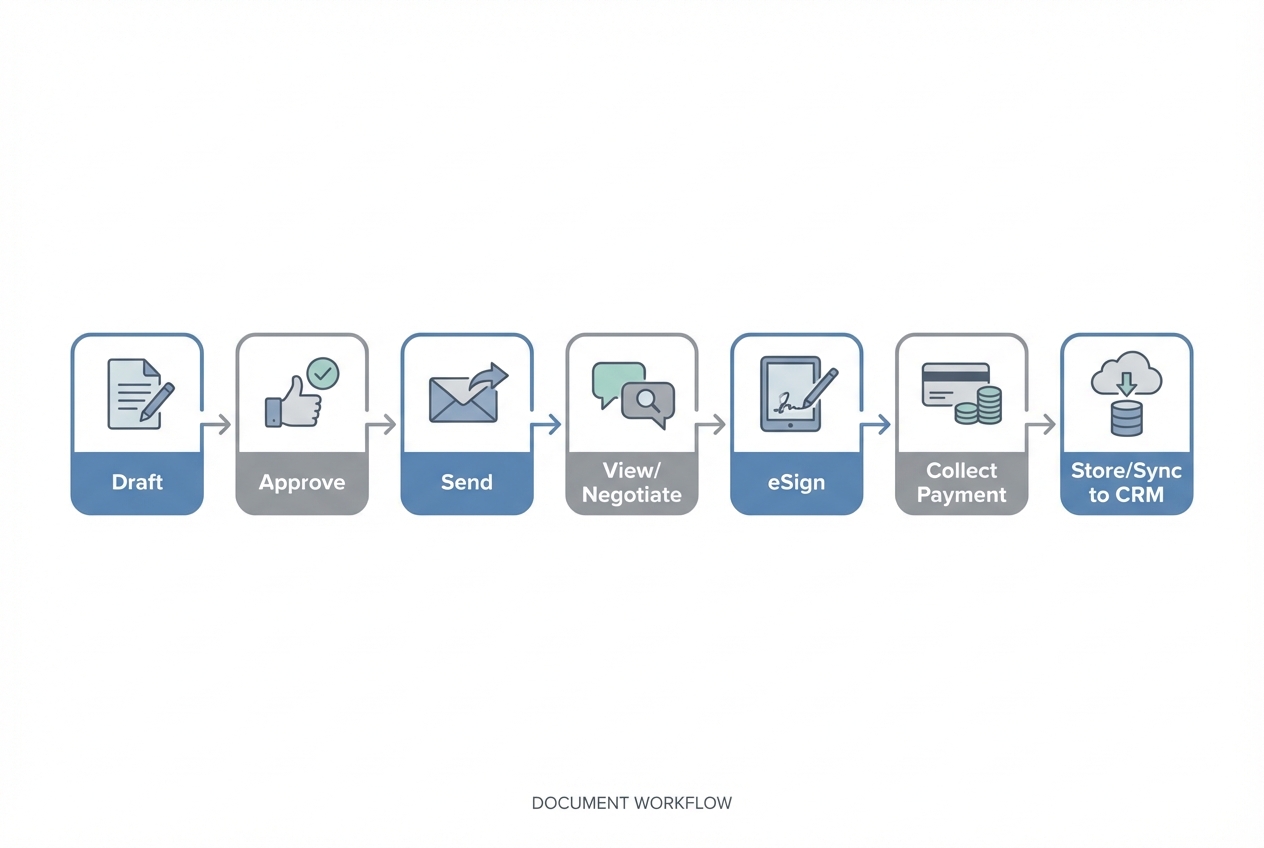
Contractors and agencies usually care less about a signing tool and more about a closed loop from quote to cash.
Here is how the common workflows map to tool choice:
- High-volume estimates and standard terms: Dropbox Sign or signNow are often enough if your documents are mostly standardized and you just need signature evidence.
- Proposal-led selling (creative, marketing, IT services): Qwilr and Proposify tend to win because they are built for buyer-friendly proposals, not just signature capture.
- Complex procurement and multiple approvers: DocuSign is hard to beat when internal governance is the bottleneck.
- PDF-heavy change orders and field documentation: Acrobat Sign is a natural fit when your world is already structured around PDFs.
A practical way to decide is to write down the one thing that is slowing deals right now:
- Document creation: Prioritize proposal tooling.
- Approvals: Prioritize enterprise workflow.
- Signing speed: Prioritize lightweight eSignature.
- Handoff to operations: Prioritize integrations and automation.
Integrations that matter most
For PandaDoc alternatives, integrations are usually where the real costs show up later.
- Customer relationship management (CRM): If your CRM is the source of truth, prioritize tools that push signed status, signed PDFs, and key fields back into the record without manual uploads.
- Accounting and invoicing: If finance needs clean handoff, look for exports or integrations that preserve line items and totals.
- Payments: If you collect payment on signature, confirm processor support and whether the checkout experience is buyer-friendly.
- Single sign-on (SSO): If you are scaling seats, SSO reduces access risk and helps offboarding.
Also, know the basics of enforceability and cross-border expectations:
- United States baseline law: In the U.S., the Electronic Signatures in Global and National Commerce Act is a baseline for validity of electronic records and signatures, with consumer consent and record retention expectations called out in guidance like the FDIC overview of the E-Sign Act.
- State-level framework: At the state level, frameworks like the Uniform Electronic Transactions Act support the legal equivalence of electronic signatures and records.
- European Union standard: In the European Union, eIDAS defines signature levels and when qualified signatures carry the same legal effect as handwritten signatures, summarized in the European Commission’s eSignature overview.
Pricing expectations and cost drivers
Pricing is not just the sticker price. Your total cost usually tracks three drivers: seat count, sending volume, and governance requirements.
What the public pricing pages show
The fastest way to set expectations is to compare entry plans and how pricing is expressed.
| Tool | Pricing model on public page | Example plans shown |
|---|---|---|
| PandaDoc pricing | Per-seat plans, billed annually in the example | Starter: $19/seat/month billed annually; Business: $49/seat/month billed annually; Free also shown |
| DocuSign eSignature pricing | Monthly plans with annual billing examples | Personal: $10/month ($120 billed annually); Standard: $25/month per user ($300 billed annually); Business Pro: $40/month per user ($480 billed annually) |
| Adobe business pricing | Per-license pricing for Acrobat business plans | Acrobat Standard for teams: US$16.99/month per license; Acrobat Pro for teams: US$22.19/month per license (annual, billed monthly shown) |
| Dropbox Sign pricing | Individual and per-user team plans | Essentials: $15/month; Standard: $25/user/month |
| Proposify pricing | Per-user plans with annual pricing shown | Basic: $19/user/month annually; Team: $41/user/month annually |
| Qwilr pricing | Per-user plans, billed annually | Business: $35/user/month; Enterprise: $59/user/month (billed annually shown) |
| signNow pricing | Per-month plans with annual billing shown | Business: $8 per month; Business Premium: $15 per month; Enterprise: $30 per month |
Cost drivers you should model before switching
- Number of senders vs signers: Many teams overpay by giving full licenses to people who only need to review or occasionally sign.
- Approval complexity: The moment you need strict approval chains, advanced reporting, or deeper compliance controls, you usually move up tiers.
- Templates and reusable content: If you need a clause library and branded proposal blocks, factor in time saved across the year.
- Payments and quoting: If the tool replaces quoting software or reduces invoicing friction, that can justify a higher plan.
- API usage: If you embed signing into your own customer portal, API plans and limits become the real pricing story.
Alternatives and competitors compared
Below are the most common PandaDoc alternatives buyers shortlist, plus where each one tends to fit.
PandaDoc
- Where PandaDoc shines: All-in-one document workflows for proposals, quotes, and eSignature, especially when you want one platform to own the lifecycle.
- Where teams outgrow it: When you either (1) only want a signing tool and the rest is bloat, or (2) need deeper enterprise governance and integrations.
DocuSign
- Best for: Enterprises and teams that need stronger governance, reporting, and platform maturity.
- Why you pick it: It is often the safe choice when procurement and compliance are driving the decision.
- Tradeoffs: You can end up paying for complexity if your needs are mostly simple proposals and signatures.
Adobe Acrobat Sign

- Best for: Organizations that are already standardized on PDFs and Adobe workflows.
- Why you pick it: Strong alignment with document formatting realities and a familiar experience for teams.
- Tradeoffs: Less proposal-optimized than Qwilr or Proposify for sales-forward experiences.
Dropbox Sign
- Best for: Small teams that want signing to be boring and fast.
- Why you pick it: Clean, lightweight signing workflows without trying to become your entire sales stack.
- Tradeoffs: If you rely on rich quoting tables or proposal analytics, it may feel too thin.
Proposify
- Best for: Sales teams that want tight control over proposal production and visibility.
- Why you pick it: Proposal workflow, permissions, and team collaboration tend to be the center of the product.
- Tradeoffs: If you want a single all-in-one contract platform, you may still pair it with other systems depending on requirements.
Qwilr
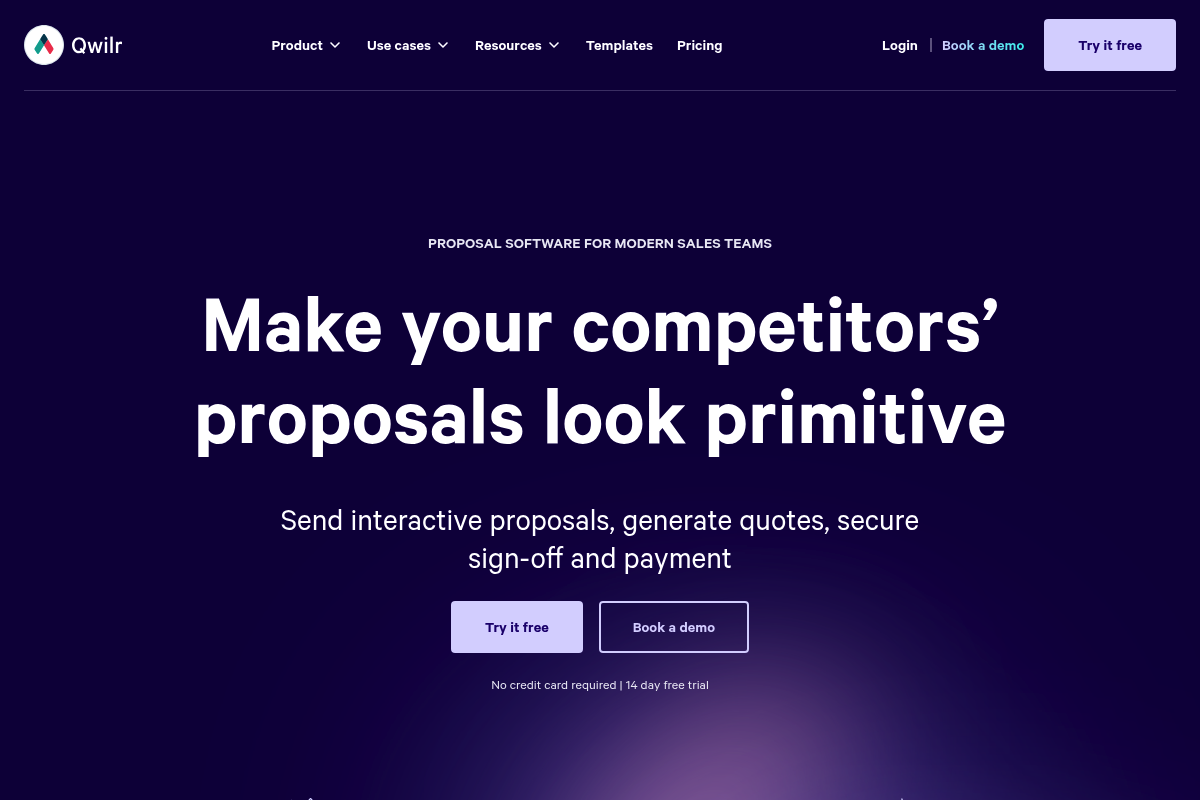
- Best for: Teams that want proposals to feel like a modern buying experience, not a PDF attachment.
- Why you pick it: Web-based proposals can reduce friction and improve clarity on complex scopes.
- Tradeoffs: If your buyers insist on redlining PDFs and heavily formal contracting, it may require a workflow compromise.
signNow
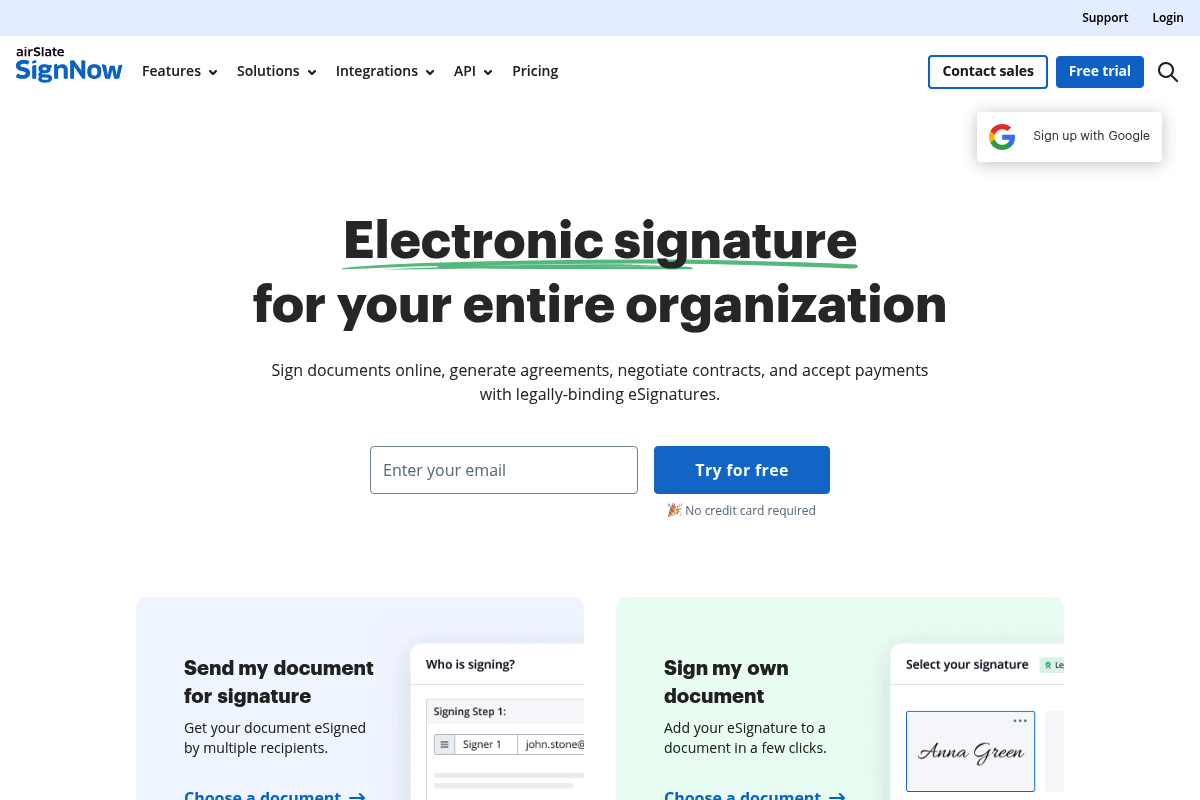
- Best for: Teams that want solid eSignature functionality with cost sensitivity.
- Why you pick it: It often lands well when you need broad access without turning signing into a large budget line.
- Tradeoffs: If you need the deepest enterprise governance and ecosystem breadth, DocuSign usually wins.
Build vs buy when documents are only one step in the workflow
If you are comparing PandaDoc alternatives because documents are slowing the business down, the bottleneck is often upstream or downstream from eSignature. The surrounding workflow is what usually creates delays.
That is where building a small, custom internal app can beat buying yet another tool.
Examples of workflows that are often better built:
- Intake to proposal automation: Your form intake, scoping questions, and pricing logic generate the right proposal type and terms.
- Approval gates that match your org: Finance approval for discounts, legal review only on specific clauses, and auto-routing based on deal size.
- Post-sign operations: Automatically create projects, schedule onboarding, assign tasks, and sync to your CRM system.
This is the gap we designed our platform to cover: you can describe the workflow you want and generate a working app fast, then refine it without hiring a full development team. If you want to see what build looks like without a long cycle, start with our prototype tier.
For teams with heavier governance and custom requirements, our enterprise option is a better fit than forcing an off-the-shelf doc platform to behave like a bespoke system.
Implementation timeline you should expect
A realistic rollout plan avoids the two common failures: migrating everything and having nobody use it.
- Day 1 to Day 3: Define your document map: List your top 10 document types, who sends them, and what data must be auto-filled.
- Week 1: Rebuild templates and variables: Get templates, roles, and signing order correct before you invite the team.
- Week 2: Integrations and automation: Connect CRM, storage, and payments. Test the happy path and the failure path.
- Week 3: Governance and training: Permissions, approval rules, and short training for senders.
If you decide to build a workflow layer instead of buying another tool, the timeline can still be short if you scope it correctly. A common win is building a deal desk internal app that standardizes intake, approval, and handoff, then letting your eSignature tool do one job: capture signatures.
If you are exploring custom build timelines, the fastest way to set expectations is to compare what you want to automate against the templates you can start from. Our pricing page makes it easy to choose a tier based on how far you want to go.
What you should pick next
If you want a clean decision without overthinking it:
- Pick DocuSign: Choose it if your biggest risk is compliance, audits, or complex approvals.
- Pick Dropbox Sign: Choose it if you want fast eSignature with minimal overhead.
- Pick Qwilr or Proposify: Choose them if your proposals are part of how you win deals and you want a better buyer experience.
- Pick Acrobat Sign: Choose it if PDFs are your operational reality and you want signing to sit naturally inside that world.
- Pick signNow: Choose it if you need solid signing and your budget discipline is non-negotiable.
And if your real pain is the workflow around documents, not the signature itself, consider building the missing layer so your process fits your business rather than the other way around.
Frequently Asked Questions
What is the best PandaDoc alternative for a small business?
Dropbox Sign is often the best starting point when you want lightweight eSignature without adopting a full document platform. If proposals are your main artifact, Qwilr is usually the better small team proposal experience.
What is the closest tool to PandaDoc’s all-in-one approach?
Doc platforms typically vary by emphasis, but PandaDoc’s docs + eSign + light quoting positioning is closest to tools that combine templates, sending, tracking, and signing. If you want to move away from that model, split the stack: proposal tool plus dedicated eSignature.
Are electronic signatures legally binding?
In the U.S., frameworks like the E-Sign Act and UETA support the validity of electronic signatures and records when proper consent and record retention practices are followed, as described in guidance like the FDIC overview of the E-Sign Act and the Uniform Electronic Transactions Act. In the European Union, eIDAS defines levels of electronic signatures and their legal effect, summarized in the European Commission’s eSignature overview.
How do I migrate from PandaDoc without breaking sales operations?
Start with your top 5 to 10 documents. Rebuild templates, variables, and roles first, then integrate CRM and storage, then switch the team in waves. Do not migrate everything upfront unless you have a hard compliance requirement.
When should I build a custom workflow instead of buying another document tool?
Build when your bottleneck is upstream or downstream of signing: intake, approvals, pricing logic, or post-sign handoff. If your team is stitching together forms, spreadsheets, messaging approvals, and manual project setup, a small internal app can remove hours of admin per week.
Start building
If you are ready to stop patching your process with one more tool, build the workflow you actually want.
Start building with us using founder-friendly templates and fast customization, then scale into deeper control when you need it. We have seen non-technical founders go from idea to a working app in minutes, and the same speed applies to document and proposal workflows. Start building
If you are operating at enterprise scale or need tighter governance, start from the enterprise path and design the workflow around your real approvals, integrations, and data model.