
You want to ship code faster without feeling like you are fighting your tools. This guide breaks down copilot vs chatgpt for coding in plain terms, so you can pick the right assistant for your workflow and stop wasting hours on context switching.
| Category | GitHub Copilot | ChatGPT |
|---|---|---|
| Best at | Inline code completion and IDE-native help | Reasoning, explanations, planning, and debugging with back-and-forth dialogue |
| Where you feel it | Inside your Integrated Development Environment (IDE) while you type | In a chat or a canvas-style workspace while you think through problems |
| Context | Strong IDE and repository context (depends on setup) | Strong conversational context, you control what you paste or connect |
| Speed for small changes | Very fast, low friction | Fast, but you often copy and paste into your editor |
| Great for | Create, Read, Update, Delete (CRUD) code, refactors, tests, glue code, repetitive patterns | Architecture notes, tricky bugs, learning new libraries, code reviews, translating between languages |
| Risk profile | Can autocomplete the wrong thing quickly if you do not verify | Can confidently explain something incorrect if you do not validate |
| Who should choose what | Pick this when… | Why it fits |
|---|---|---|
| Choose Copilot | You live in the IDE and want suggestions as you type | It reduces micro-friction and keeps you in flow |
| Choose ChatGPT | You need to reason, plan, or debug step-by-step | It is better at narrative explanations and exploring options |
| Use both | You want fast completion plus deep thinking support | This pairing covers most solo developer and small-team workflows |
Copilot vs ChatGPT for coding quick verdict
If you write code all day, GitHub Copilot usually feels faster because it sits right where you work: the IDE. If you are trying to understand a problem, design a solution, or untangle a confusing bug, ChatGPT is often the better thinking partner.
The most effective setup for many teams is simple:
- ChatGPT for thinking: Use it to clarify requirements, outline a solution, and generate test plans before you touch production code.
- Copilot for typing: Use it to implement the plan quickly, file by file, without breaking focus.
What GitHub Copilot is best for
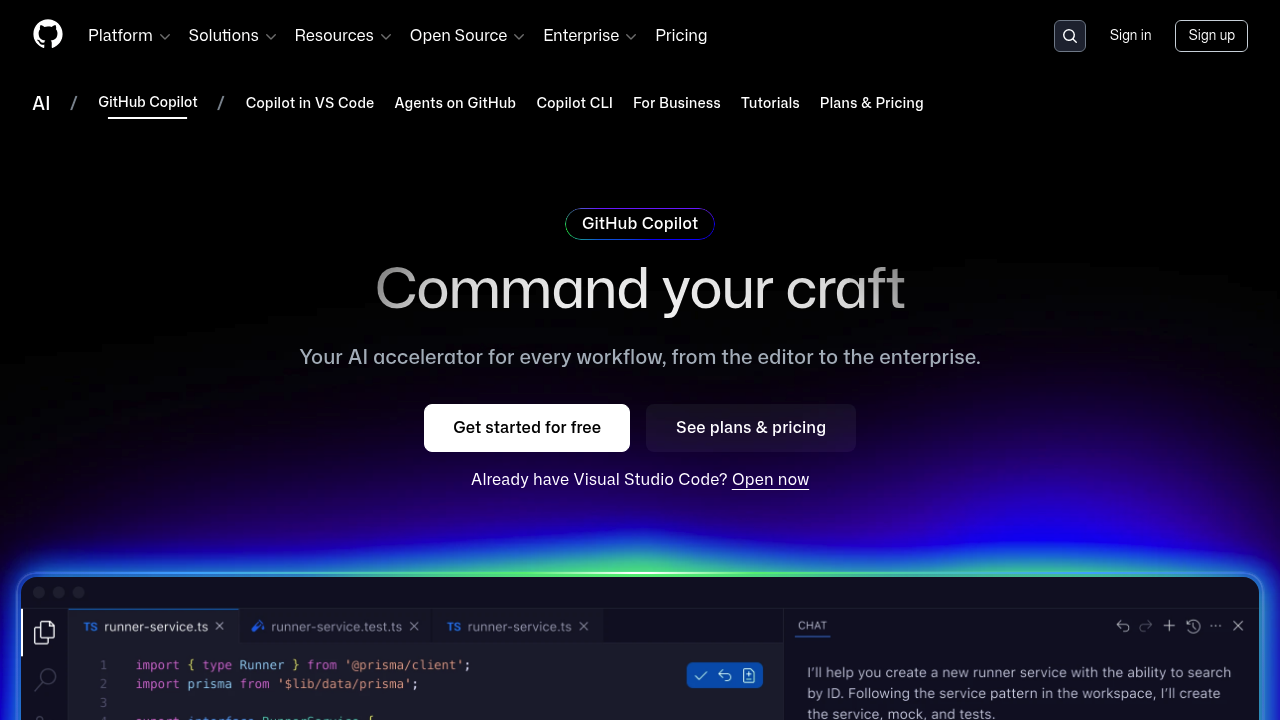
You can think of Copilot as a typing accelerator that lives in your IDE. It is designed to help you write working code with less manual effort and less searching.
What Copilot includes depends on your setup, but the official feature list covers both inline suggestions and chat-style help in developer tools, plus agent-like features in some contexts, as described in the GitHub Copilot features documentation.
Practical strengths you feel fast:
- Inline completion: It predicts the next lines while you type. This is the big win for repetitive code.
- IDE context: It can use nearby files and symbols to stay consistent with your project style.
- Multi-file edits: For certain tasks, it can propose changes across files, which is useful for refactors.
- Tests and scaffolding: It is strong at generating boilerplate, data models, simple endpoints, and starter tests.
When Copilot struggles:
- Ambiguous requirements: It will happily autocomplete something that looks plausible but misses the actual business rule.
- Deep debugging: It can help, but it is not as naturally talkative as a chat-first tool when you need a full diagnosis.
Copilot pricing
If cost matters, Copilot has clear published tiers. On the official GitHub Copilot plans page, GitHub lists:
- Free: $0, includes 50 agent mode or chat requests per month and 2,000 completions per month.
- Pro: $10 per month (or $100 per year).
- Pro+: $39 per month (or $390 per year).
Pricing changes over time, so treat this as a snapshot and verify against the plan page before you standardize across a team.
What ChatGPT is best for when coding
ChatGPT is a conversational Artificial Intelligence (AI) assistant you can use for coding and other tasks. OpenAI defines it directly in its help center: “ChatGPT is an AI assistant you can use for everyday tasks like ... coding,”
For coding work, ChatGPT shines when you need to think, not just type:
- Requirements to plan: Turn a messy idea into a spec, acceptance criteria, and a task list.
- Debugging conversations: Describe symptoms, share relevant logs, and iterate until the root cause is clear.
- Explanations you can trust but still verify: Ask “why” and “what if” questions until the solution makes sense.
- Refactoring strategy: Get an approach before touching code, like “extract this service, add tests, then migrate endpoints.”
OpenAI’s canvas experience is specifically aimed at coding and writing workflows, including shortcuts like reviewing code and fixing bugs, on the official page Introducing canvas.
Where ChatGPT can be slower:
- Copy and paste overhead: Unless you use an IDE integration, you will move snippets back and forth.
- Project-wide context: It only knows what you provide (or connect), so you must be disciplined about sharing the right files.
The workflow difference that decides most teams
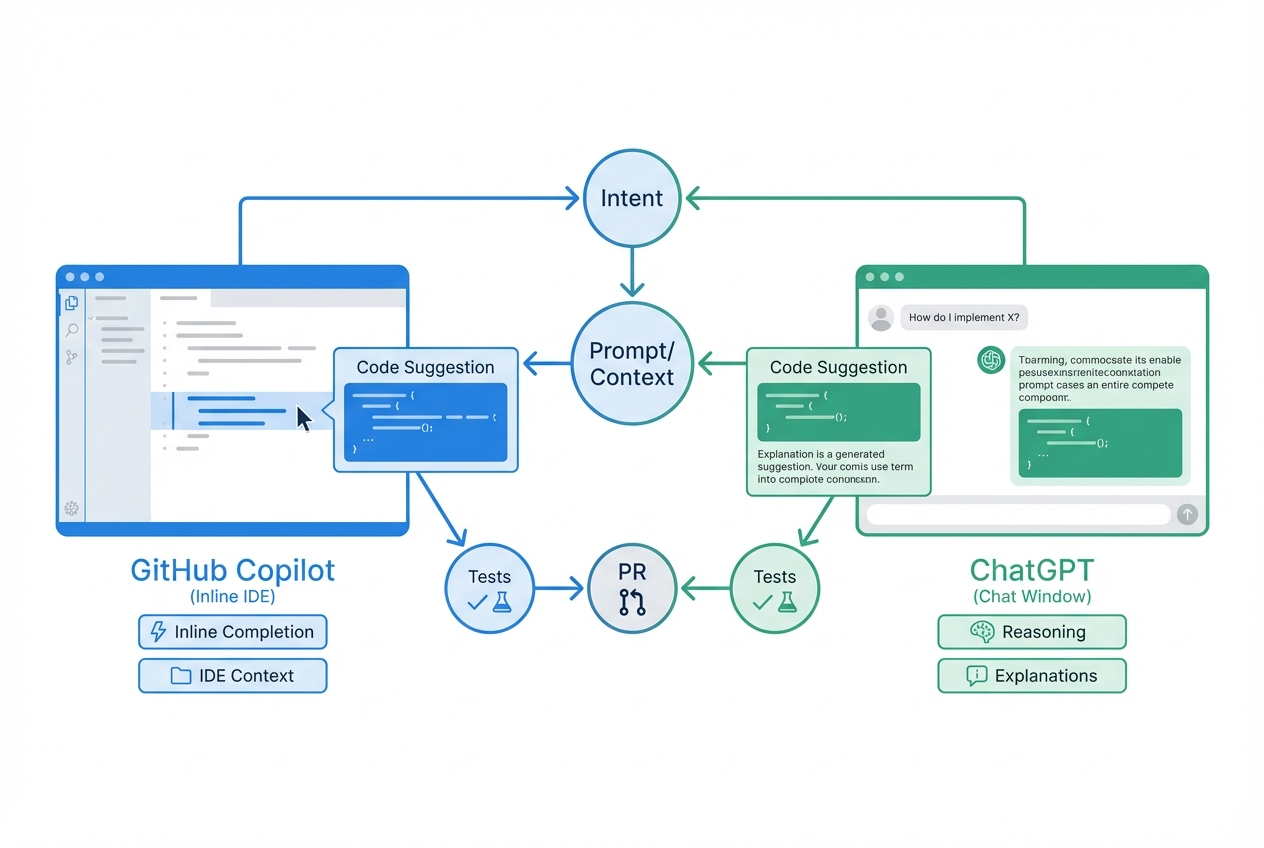
Most teams end up choosing based on where the assistant sits in the workflow.
- Copilot helps at the point of execution: You are already editing files. It nudges you forward.
- ChatGPT helps at the point of understanding: You are still shaping the solution. It helps you reason.
If you want a simple rule you can apply today:
- Use Copilot when the next step is clear: You know what to build, you just want to build it faster.
- Use ChatGPT when the next step is unclear: You need clarity before you write a line of code.
Accuracy, safety, and IP checks you should not skip
Both tools can generate incorrect code. Both can suggest insecure patterns. You still own the outcome.
Use a lightweight safety checklist:
- Treat outputs as drafts: Read the code like it came from a junior developer. Verify edge cases.
- Add tests first when risk is high: If you are touching payments, authentication, or data deletion, write tests before refactoring.
- Use linters and security scanners: Static analysis catches obvious issues fast.
- Be careful with secrets: Never paste Application Programming Interface (API) keys, private keys, or customer data into any assistant.
- Set team rules for sensitive repositories: Decide which repositories can be used with AI assistants and under what policies.
If you want a practical process for launching safely, our internal-style guide on how to test an app before launch is a good checklist to borrow, even if you are not using QuantumByte.
If you are building customer-facing software, your bigger risk is not just code correctness. It is product correctness. A tool can generate code that compiles and still fails your business.
Best use cases by goal
| Goal | Copilot fit | ChatGPT fit | What to do |
|---|---|---|---|
| Ship small features fast | Strong | Medium | Use Copilot in the IDE, validate with tests |
| Understand an unfamiliar codebase | Medium | Strong | Use ChatGPT to ask “how does this work” and map flows |
| Debug tricky runtime issues | Medium | Strong | Use ChatGPT to narrow hypotheses, then reproduce locally |
| Refactor safely | Strong | Strong | Use ChatGPT for plan, Copilot for mechanical edits |
| Write better tests | Strong | Strong | Use ChatGPT for test strategy, Copilot for implementation |
| Turn expertise into a product | Weak | Medium | Start with a tight spec, then pick tools that help you ship |
If your goal is productization, do not start with a blank prompt. Start with a tight spec. our AI app builder prompts is a solid template for turning “an idea” into something you can actually build and test.
Copilot vs ChatGPT for coding in real scenarios
Scenario 1: “Build a simple internal tool”
You want a lightweight web app that tracks leads, automates follow-ups, or gives clients a portal.
- Copilot: Great if you already have the stack picked and a repository ready.
- ChatGPT: Great for turning your idea into a data model, user roles, and a screen list.
- What usually blocks you: Authentication, permissions, deployment, and boring edge cases.
If your “internal tool” is currently a messy spreadsheet, it can help to map the before-and-after clearly. The QuantumByte spreadsheet to app guide shows the core shift: forms, permissions, and automations replace fragile cells.
Scenario 2: “Make a niche SaaS you can sell”
You are a solopreneur. You want to turn a narrow problem into recurring revenue.
- Copilot: Helps you move fast inside code.
- ChatGPT: Helps you validate the idea, write onboarding flows, and create a launch checklist.
- What usually blocks you: Scope creep and feature overload.
Scenario 3: “You need an outcome, not more code”
Sometimes you are not blocked by code. You are blocked by a manual process that keeps coming back every week.
If that sounds like you, stop optimizing for “better suggestions” and start optimizing for “a working system.” We are designed for that. You describe what you want in plain English, then iterate into a real app.
If you want the concept-level view first, visit our pricing page.
Where we fit in the Copilot vs ChatGPT decision
Copilot and ChatGPT help you write software. We focus on helping founders get to software they can actually run inside the business, especially when your bottleneck is turning messy operations into a clean, shippable app.
You can see what we build and how the platform works at QuantumByte.
Wrapping up what we covered
You now have a clean way to decide:
- GitHub Copilot: Best when you want fast, low-friction coding inside your IDE.
- ChatGPT: Best when you need reasoning, explanations, debugging help, and planning support.
- Both together: Often the most productive combo for developers.
Frequently Asked Questions
Is Copilot better than ChatGPT for coding?
Copilot is usually better for day-to-day coding speed because it works inline in your IDE. ChatGPT is usually better for problem-solving, explanations, and planning. The better choice depends on whether you need execution speed or clarity.
Can I use Copilot and ChatGPT together?
Yes. Many developers use ChatGPT to design or debug, then use Copilot to implement quickly in the IDE. This reduces context switching while still giving you a thinking partner.
Which is safer for private code?
Both require careful handling of sensitive data. The safest approach is procedural: do not paste secrets, limit what you share, and follow your organization’s policies for which repositories can be used with AI tools.
What is the best way to prompt either tool for coding?
Give clear constraints and real context: the language, framework, existing patterns, and acceptance criteria. If you can, include a minimal reproducible example and the exact error message. Ask for a plan first, then ask for code.
When should I stop using a coding assistant and use an app builder instead?
When your bottleneck is not writing code, but shipping a complete system with authentication, roles, data, and deployment. In that case, starting from an AI-built minimum viable product (MVP) is often faster than assembling code suggestions by hand, especially if you also need expert help to finish the last 20%.

