
You want an assistant that does real work, not another chat tab you babysit. OpenClaw is built for that: it runs on your machine, connects to the chat apps you already use, and can turn short messages into actions like sending emails, updating calendars, or triggering scripts.
What OpenClaw is and what it is best for
OpenClaw is an open-source personal Artificial Intelligence (AI) assistant you run on your own device. The official site positions it as “The AI that actually does things” and emphasizes that it “Runs on Your Machine” with privacy-first defaults because your data stays on your hardware.
It shines when you want a single gateway that routes requests from messaging into tools and automations.
Common high-leverage uses:
- Operations triage: Forward a message, and OpenClaw turns it into a task, a reply draft, or a calendar hold.
- Inbox and calendar actions: Tell it what you need in chat and let it execute, instead of context switching all day.
- Lightweight internal automation: Run local scripts, call webhooks, or connect to services so small workflows become “messageable.”
- Multi-channel support: They lists channels such as WhatsApp, Telegram, Slack, Discord, Google Chat, Signal, iMessage, Microsoft Teams, and WebChat.
If you are trying to build a public, customer-facing Software as a Service (SaaS) product, OpenClaw is usually not the product itself. It is the engine behind the scenes. The SaaS part is the workflow, the user experience (UX), the permissions, and the data model around it.
What you need before you start
A clean OpenClaw setup is mostly about a few basics.
- A machine you control: OpenClaw is meant to run on your own hardware (laptop, desktop, or a small home server). This is part of its value.
- Node.js installed: The docs quick start uses npm (Node Package Manager). Install Node.js from the official downloads page and choose a “Latest LTS” (Long Term Support) build for stability.
- One chat channel to start: Pick a single channel (WhatsApp, Telegram, Slack, and so on) so you can validate the loop end to end.
- A clear first workflow: Example: “When a lead texts me, create a record and ask qualifying questions.” Starting with a vague goal is how setups drag on.
How to set up OpenClaw on your machine
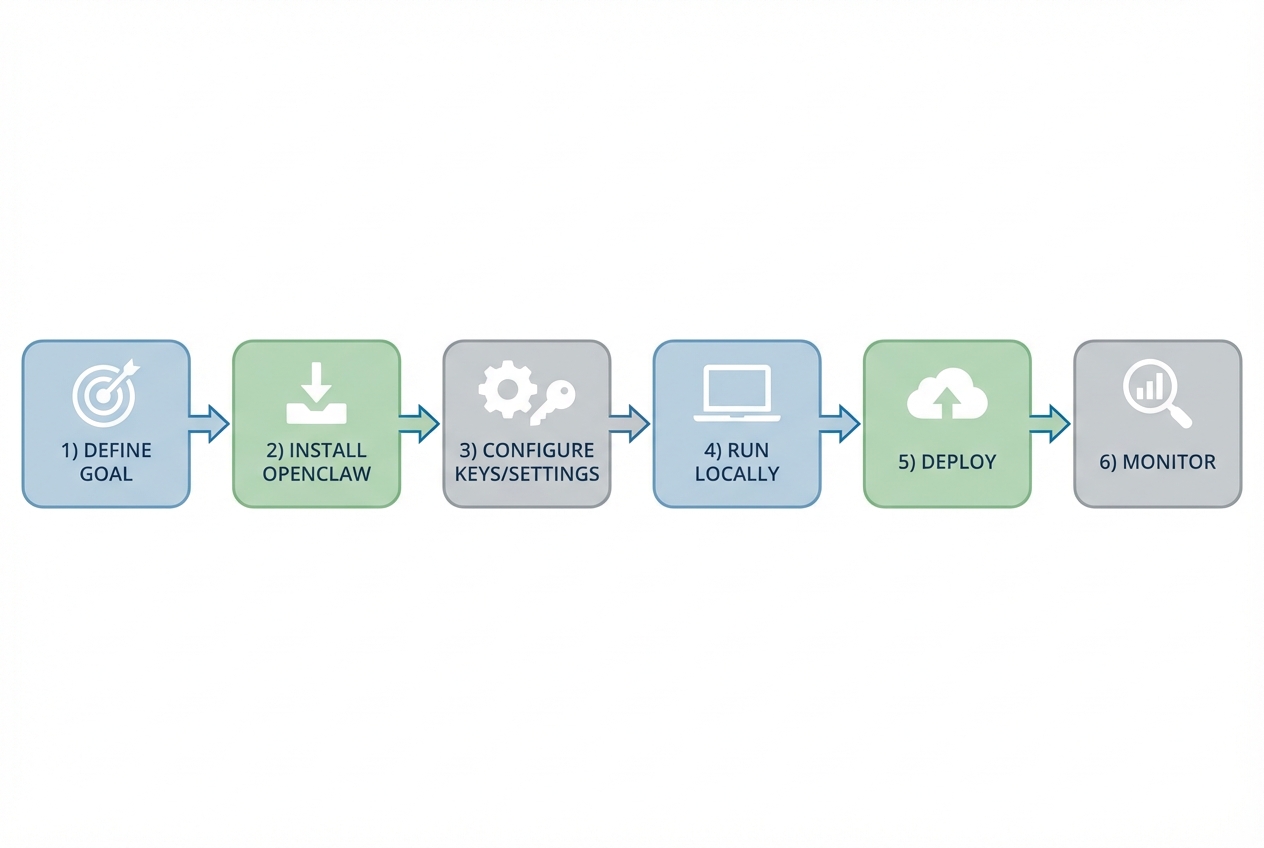
The official OpenClaw docs provide a straightforward quick start. The goal here is simple: install, onboard, pair one channel, and get a working conversation that proves the gateway is live.
1) Install OpenClaw
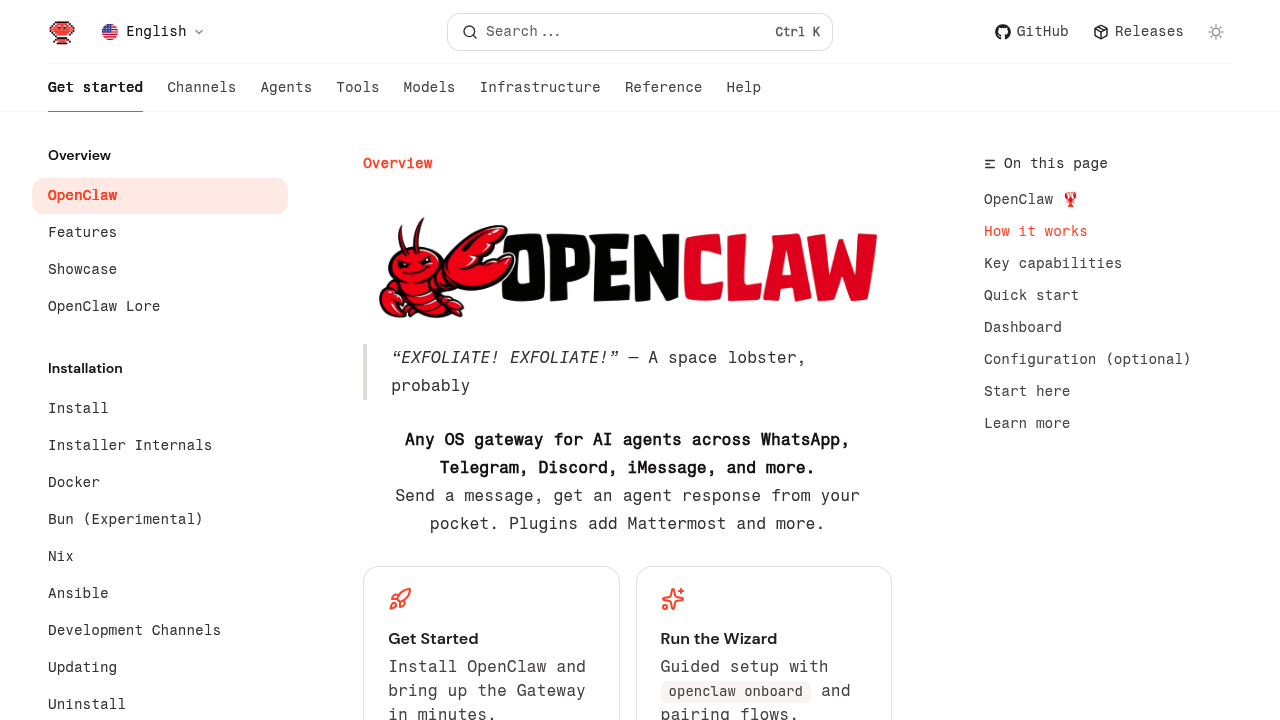
OpenClaw’s documentation lists an npm global install as the fastest path.
- Install: Run
npm install -g openclaw@latestas shown in the official docs .
After this finishes, open a new terminal window and run openclaw --help. You are looking for one simple sign that everything worked: the openclaw command exists and prints help text.
2) Run the onboarding flow and install the service
- Onboard and install: Run
openclaw onboard --install-daemon.
Once onboarding completes, OpenClaw should keep running in the background. That means you do not need to remember to start it every time you reboot.
3) Pair one channel and start the gateway
- Pair and run: Use the channel login and gateway command shown in the docs.
When pairing is done, send a message from that channel. If you get a response back, you have proved the full loop: channel message in, assistant response out.
4) Validate the end-to-end loop
Before you add integrations or “smart” routing, confirm the basics work reliably.
- Send a simple prompt: Ask it to restate your message.
- Test a longer instruction: Try “Summarize this and list next steps.”
If it fails, fix it now. Do not move on and hope it starts working later.
Connect OpenClaw to your chat channels
The fastest way to build confidence is to add channels one at a time.
- Start with your highest-frequency channel: If your day runs through WhatsApp or Slack, pick that first.
- Use one channel per workflow at first: This keeps debugging sane. If something goes wrong, you know where.
- Define what counts as a task: Not every message should trigger actions. A clean rule could be “Only act when messages start with /do.”
As you scale channels, you are really scaling two things:
- Routing: Which agent or workflow handles which message.
- Safety: Which channels are allowed to trigger real actions.
Add the integrations that make it useful for your business
OpenClaw becomes valuable when it can touch the systems you already live in.
High-impact integration patterns:
- Email and calendar actions: Message “schedule a call,” and it creates a draft, an event, and reminders.
- Webhooks for your tools: Many SaaS systems can be triggered with a webhook. That means OpenClaw can become a chat front end for your stack.
- Local scripts for repeat tasks: If you already have small scripts (renaming files, generating reports, moving data), OpenClaw can be the interface.
Safety rules worth adopting early:
- Separate suggest vs do: Let OpenClaw draft a reply or plan first. Only execute on a second confirmation for risky actions.
- Limit what it can access: Give it the smallest permissions that still get the job done.
- Keep an audit trail: If it sends an email or updates a record, you should be able to see what happened and when.
Turn OpenClaw into a lightweight SaaS workflow
This is the point where most ambitious builders get stuck. OpenClaw can act, but your business needs a system around it.
A practical way to package it:
- A simple database: Store customers, requests, statuses, and logs.
- A basic admin dashboard: View what OpenClaw did, retry failures, and adjust routing.
- Clear permissions: Decide which actions are allowed for which users.
This is also where Quantum Byte fits naturally.
If you want to wrap OpenClaw with a real product experience, Quantum Byte’s platform can help you generate the surrounding app fast using natural language, then hand off to engineers when you hit edges. Start by grounding your build with the guide on how an AI app builder works and write clearer specs using these AI app builder prompts. Focus on building a workflow your future customers can adopt, rather than just building an app.
For a productized path, you can also explore Quantum Byte’s approach to packaging software for resale in the white label app guide.
Deploy and operate OpenClaw safely
If OpenClaw is helping run parts of your business, treat it like a production service, even if it runs on a small machine.
- Choose your hosting model: Running on your own machine keeps data closer to you. Running on a dedicated server can improve uptime. Pick based on your risk and tolerance.
- Protect secrets: Store tokens and keys outside of code. Rotate them if you suspect exposure.
- Restrict who can trigger actions: A shared chat channel is a shared control plane. That is powerful and dangerous.
- Monitor and test regularly: If your workflow breaks silently, you find out at the worst time. Keep a small set of test messages you run weekly.
When you get to deployment, your real work becomes repeatability. It should be easy to restore the service, move it to a new machine, and recover from a bad update.
Troubleshooting common OpenClaw setup issues
Most failures come down to a few predictable problems.
- Command not found after install: This usually means Node.js and npm are not installed correctly, or your PATH is not set. Reinstall from the official Node.js download instructions at nodejs.org.
- Onboarding completes but the service does not stay running: Daemon installation can vary across operating systems. Re-run onboarding and confirm your operating system allows background services.
- Channel pairing works once, then stops: Treat channels like credentials. Re-authenticate and confirm the channel session is still valid.
- It responds, but actions do not run: This is often permissions, missing tokens, or an integration endpoint changing. Add logging around each action and test each integration in isolation.
If you want a simple guardrail, do not add a second integration until the first one has a reliable happy path and a clear error message when it fails.
Where Quantum Byte can accelerate your OpenClaw build
OpenClaw is a strong foundation, but founders and operators usually need three extra pieces:
- A real user interface for control: A dashboard to review actions, manage users, and rerun tasks.
- A reliable data layer: A place to store customer context, workflows, and history.
- A product wrapper: Pricing, onboarding, and a clear path from try it to paid.
That is what Quantum Byte is designed for: turning messy operational needs into scalable systems, fast. You can start with structured Packets that tell the builder what to generate, then iterate.
If you want to move from “cool assistant” to “sellable workflow,”, we can help you do that.
You can also compare approaches in no-code vs traditional development.
What you now have in your toolkit
You now have a practical path to turn OpenClaw into a real, operational tool:
- A clean setup loop: Install, onboard, pair one channel, and validate the gateway.
- A channel-by-channel rollout plan: Add reach without adding chaos.
- A way to make it business-ready: Put data, permissions, and a user interface around it.
- A next step to productize: Use Quantum Byte and testing guidance in how to test an app before launch to ship with confidence.
Frequently Asked Questions
Is OpenClaw free to use?
OpenClaw is open source and the repository states it is MIT licensed. You may still pay for model providers or third-party services you connect to it.
Does OpenClaw run locally or in the cloud?
OpenClaw is designed to run on your own machine. The official site emphasizes “Runs on Your Machine” across macOS, Windows, and Linux. You can still host it on a server you control if you want higher uptime.
Which chat apps can OpenClaw connect to?
OpenClaw lists channels including WhatsApp, Telegram, Slack, Discord, Google Chat, Signal, iMessage, Microsoft Teams, and WebChat.
What is the simplest first workflow to build?
A strong first workflow is something you already do every day, such as triaging inbound requests. Example: “When someone messages me about pricing, ask three qualifying questions and create a lead record.” It has clear inputs, a clear output, and it is easy to validate.
When should you wrap OpenClaw with a custom app?
Wrap it when you need permissions, an audit trail, and a dashboard. If multiple people rely on the automation, or it touches money, customers, or sensitive data, you want a proper app layer. That is also when tools like Quantum Byte become useful for building the surrounding system fast, then hardening it with engineering support.

